
The Church Website Audit Checklist: 20 Things to Check This Week
Last week a pastor forwarded me his church's website with one line: "This looks fine to me. Why isn't anyone finding us?"
He wasn't wrong that it looked fine. It just wasn't finding anyone.
That's the gap this church website audit checklist is built to close. Twenty things you can check yourself this week, in about an hour, with nothing more than your phone and a free afternoon. Some you'll fix in five minutes. A few will tell you there's a deeper problem worth a second set of eyes.
A church website audit checks whether your church is actually findable and usable for someone who doesn't know you yet—covering search visibility (your Google Business Profile, Map Pack presence, and whether Google has indexed your pages at all), the first-time visitor experience (service times, address, and what to expect), technical health (speed, mobile, security, and structured data), content that answers real questions, and whether you're tracking any of it. This checklist walks through all five, one item at a time.
How to Use This Church Website Audit Checklist
Grab your phone. Most of this happens there, because most of the people searching for your church are on theirs.
Go section by section. Don't skip to the end. A church with a beautiful, fast website and an unclaimed Google Business Profile is still invisible—and a church with a claimed profile and a confusing homepage still loses the visitor once they click through.
Section 1: Findability
Before anyone can visit your church, they have to find it. This is where most churches lose the race without ever knowing they were in one.
- 1. Google your church's name. See what actually shows up—wrong hours, an old address, a Business Profile you didn't know existed. This is what everyone sees before they see you.
- 2. Search "church near me" from your own neighborhood. Stand in your parking lot if you can. If you're not in the results, you've found the starting point for everything else on this list.
- 3. Check your Google Business Profile for accuracy. Hours, address, phone number, category, and photos from this year—not 2019. This free listing carries more weight than most of your website.
- 4. Look for yourself in the Map Pack. That's the three-church map Google shows above every regular result. For church searches, that map is the front page.
- 5. Run a "site:" search of your own domain. Type site:yourchurchdomain.com into Google and see what comes back. Pages that don't show up here haven't been indexed—which means, as far as Google's concerned, they don't exist.
If nothing here looked right, you're not alone, and it's usually a setup problem rather than a content problem. We've written the full walkthrough of why churches don't show up on Google, and the Business Profile setup itself is worth a slow read if item 3 turned up anything off. If you'd rather have someone walk the whole list with you, that's exactly what our church website and SEO audit covers.
Section 2: The First-Time Visitor Test
Here's the test I ask every church to run before I run mine: hand your phone to someone who's never attended, give them five seconds, and see what they can find.
- 6. Time yourself finding service times. From your homepage, on your phone, it should take under five seconds. Buried in a PDF or a dropdown three clicks deep doesn't count.
- 7. Check that address and parking are obvious. Someone new doesn't know which lot to pull into or which door to walk through. Tell them.
- 8. Look for a clear "Plan Your Visit" path. One page, easy to find, that answers the questions a first-timer actually has.
- 9. Check whether "what to expect" is visible. Kids ministry, dress code, how long service runs. A parent deciding where to visit this weekend is often deciding for their kids first.
- 10. Tap the phone number. Does it click to call, or is it just text someone has to copy and dial themselves?
This is exactly where good design and good SEO overlap—Google reads your homepage the same way that tired, curious visitor does, looking for clear answers, not warm paragraphs about your community's heart for worship. We've covered the specific mistakes that quietly drive visitors away once they've already made it to your site, and it's worth reading alongside this section.
Section 3: Technical Health
None of the above matters if the site underneath it is slow, broken, or invisible to the machines doing the finding.
- 11. Test on your own phone for mobile responsiveness. If you're pinching or zooming to read anything, that's a fail—and most church searches happen on a phone.
- 12. Run your homepage through PageSpeed Insights. It's free, and it takes thirty seconds. Note the mobile score specifically; that's the one that matters most.
- 13. Confirm the HTTPS padlock is there. A "not secure" warning in the address bar is enough to make a first-time visitor close the tab.
- 14. Click every link in your main navigation. Broken links tell Google—and your visitor—that nobody's minding the site.
- 15. Check for church structured data. View your page source or run it through a schema testing tool. This is the small piece of code that tells Google directly: this is a church, here's where it is, here's when it gathers. Invisible to people, load-bearing for search.
Section 4: Content and Next Steps
Your website's job isn't just to exist. It's to answer real questions and point toward a next step.
- 16. Confirm each active ministry has its own current page. Google ranks pages, not intentions. If youth ministry matters, it needs a page—and one that's been touched in the last year.
- 17. Confirm sermons are actually findable. Not just uploaded somewhere. Titled clearly, easy to browse, and searchable by topic—not a buried link to a channel nobody's organized.
- 18. Confirm every page has one clear next step. Plan a visit, give, connect with a ministry. A wall of paragraphs about your community's heart, with no button at the end, asks nothing of the person who just arrived.
Section 5: Measurement
Last section, and the one almost every church skips.
- 19. Confirm Google Analytics is installed and actually reporting. Not installed two years ago and forgotten—reporting, this month, real numbers.
- 20. Confirm Search Console is verified and showing data. This is the one that tells you what people are actually searching to find you, and whether you're showing up for it.
Both take an afternoon to set up. Together they turn "I think our website's working" into "here's what happened last month"—and that's the difference between hoping and knowing.
What This Checklist Can't Tell You
Here's the honest part. This checklist is good at finding symptoms. It's not built to diagnose the cause or tell you what to fix first.
Say your church failed item 5, item 11, and item 15. Is that three separate problems, or one root cause showing up three ways? Should you fix the slow mobile load first, or is that actually downstream of a bloated homepage nobody's touched since the last redesign? A checklist can't tell you that. It just points at the smoke.
That's the harder work—and it's exactly what our Website & Visibility Audit for churches is built to do. We take everything this checklist surfaces, find the actual root cause, and hand you a prioritized plan for what to fix first, in what order, and why. No jargon, no 60-page PDF, no rebuild you don't need.
And that last part matters more than it sounds like it should. If your audit turns up real technical problems, the fix is almost never a full redesign—it's targeted, focused work on the site you already have. That's the distinction our church website optimization service exists for, and it's worth understanding before you commit to anything bigger. We've written the whole comparison here, because "redesign vs. optimization" is the wrong question more often than churches expect.
Your One Step
Stop.
Don't try to run all twenty items tonight.
Pick one section. Start with Findability—it takes five minutes and it tells you the most. Google your church's name, standing wherever you are right now, and see what comes back.
Whatever you find, you'll know more about your church's visibility in the next five minutes than you did an hour ago. That's the whole point of a checklist. It doesn't fix anything by itself. It just makes sure you're looking at the right things.
Get your Website & Visibility Audit for churches when you're ready for the prioritized version—and if you're still not sure where you stand, start with what's free and go from there.
Free Download
Get the 10-Point SEO Checklist
The same checks I run first—in plain English, sorted by what to fix first. Drop your email and it's in your inbox in two minutes, plus a short series on getting your website found.
Tagged

About the Author
Jon Horton is the founder of NewCulture. With 20+ years in technology and digital strategy, he helps businesses, nonprofits, and churches build their online presence and reach more people.
Keep Reading
More from the Blog
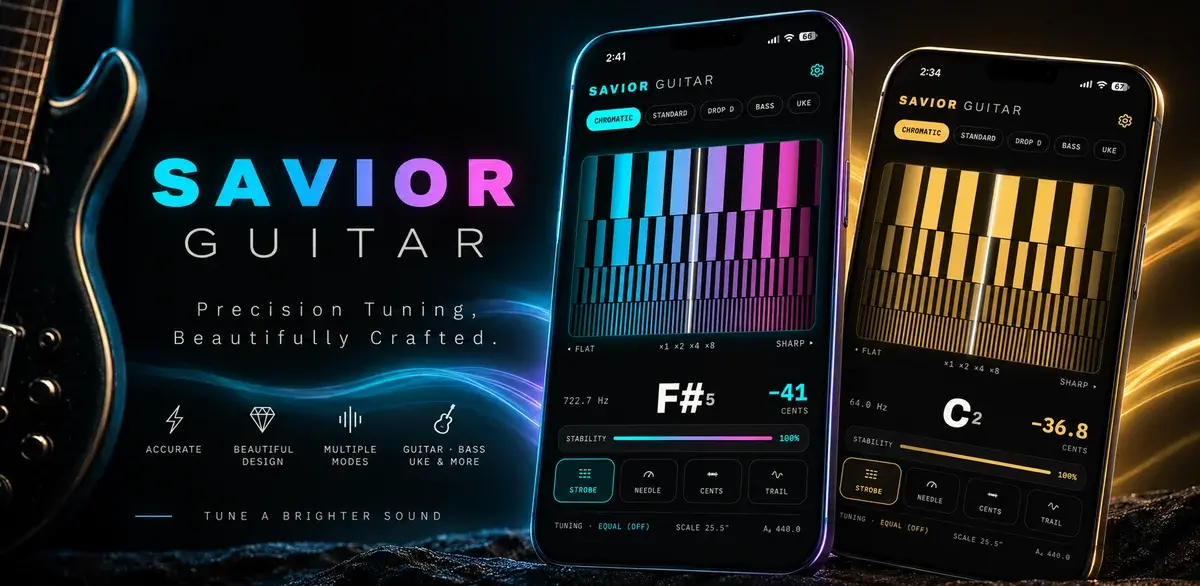
How a Free Web Tuner Earned Savior Guitar 1,400 Clicks, AI Citations, and the Case for a Pro App
A touring guitar tech in Goldsboro, NC had expert tuning methods and no way to share them beyond the bench. We built a free web tuner, used SEO to connect it with people searching for specific tunings, watched clicks climb from a handful a day to dozens, and then turned the proven demand into a pro tuner app for iPhone and Android.

Best Church Website Design Companies in 2026: 12 Firms Compared on Price, Timeline, and Who Owns the Site
The best church website design companies aren't the ones with the flashiest portfolio. They're the ones that tell you the price, the timeline, and whether you'll own the site before you sign anything. Here's an honest, fact-checked comparison of twelve firms, ours included.

The Real Church Website Cost Over Five Years (Builder, Platform, Custom, and the Volunteer Nobody Counts)
What does a church website cost over five years, once you count the subscription, the setup, the hours somebody spends updating it, and the redesign you'll do at least once? Here's the honest model, built on real published prices, not just the monthly number your finance committee sees.