
Google Business Profile for Churches: The Free Listing That Fills Pews
Before a first-time visitor ever hears a sermon, they meet your church in a Google panel: a photo, a star rating, service times, and a little map pin.
That panel is your Google Business Profile. It's free. It's the single most important piece of your church's visibility online.
And at most churches, nobody has touched it in years.
To set up a Google Business Profile for your church: claim the listing at business.google.com (or create it if none exists), verify ownership, then complete every field—service times, address, phone, website, description, photos, and the "Church" category. After setup, keep it alive: add photos regularly, ask your congregation for honest reviews, answer them, and post updates for big moments like Easter and Christmas. A complete, active profile is the main thing Google looks at when it decides which churches appear in the Map Pack for "churches near me."
That's the whole shape of it. Here's each step, with the church-specific details that generic guides skip.
Step 1: Find Out What Google Already Thinks
Search your church's name on Google. One of three things happens:
- A panel appears with "Own this business?"—the listing exists, unclaimed. Click it and claim it.
- A panel appears, already claimed—by whom? At a lot of churches the answer is a volunteer who left in 2021. Google has a recovery process for exactly this; start it now, because it can take a couple of weeks.
- No panel at all—create the listing fresh at business.google.com.
While you're there, check for duplicates—an old listing at a previous address, or one someone created by accident. Duplicate listings split your reviews and confuse Google about where you actually are. Report and merge them.
Step 2: Verify It
Google needs proof you're really there. For churches this is usually a postcard mailed to your address, sometimes video verification. It's mildly annoying and takes days to a couple of weeks.
Do it anyway. An unverified profile can't be fully edited, barely ranks, and can be edited by strangers suggesting changes. Verification is the step that makes the listing yours.
Step 3: Complete Every Field—Especially These
Google rewards complete profiles, and visitors trust them. Work through everything, but these fields carry the most weight for a church:
- Category: "Church" as primary. Add specific secondary categories if they fit—Baptist church, non-denominational church, Messianic congregation. Categories are a top ranking factor and most churches leave them half-set.
- Hours = service times. This is the church-specific trap: set your hours to when someone can actually show up, and use the description to spell out service times plainly. A profile that says "Closed Sunday" because the office is closed is telling visitors not to come.
- Description: 750 characters, plain language. Who you are, when you gather, what a first visit is like. Write it for the nervous first-timer, not for Google.
- Photos: the building from the street (so they recognize it), the sanctuary, people—recent ones. Profiles with fresh photos get far more clicks than profiles with two exterior shots from years ago.
- Website and phone: and make sure the address, name, and phone match your website exactly. Consistency is a trust signal Google checks.
Step 4: Reviews—the Part Churches Feel Weird About
Churches hesitate here. Asking for reviews feels like asking people to rate worship.
Reframe it: a review is a member telling their neighbors "this place is real, and you'd be welcome." That's testimony, not marketing.
Keep it simple and honest:
- Ask a handful of longtime members to share, in their own words, what the church has meant to them. No scripts, no incentives—Google prohibits paid or coached reviews, and they read fake anyway.
- Respond to every review. Warmly, briefly, like a person. Including the critical ones—especially the critical ones. The searching visitor reads your responses as closely as the reviews.
Step 5: Keep It Alive
A profile isn't a plaque; it's a channel. Fifteen minutes a month:
- Post updates for the moments people actually search—Easter and Christmas services, VBS, special events. "Christmas Eve service times" spikes every December, and a profile post answers it right in the search results.
- Add new photos every month or two.
- Check the Q&A section. Anyone can ask—and anyone can answer, including strangers. Better that your answer is the one people see.
Assign this to one person. Named, on the calendar. The profiles that decay are the ones nobody owns.
What This Actually Does
Inside the profile dashboard, Google shows you calls, direction requests, and website clicks—real numbers, monthly, free.
Watch what happens after you complete the profile. For most churches it's the fastest, cheapest visibility win available: results in weeks, from an afternoon of setup and a few minutes a month. The Map Pack that answers "churches near me" is built almost entirely from these signals.
Your One Step
Today, just do Step 1: search your church's name and find out who controls the listing. Five minutes. If it's unclaimed—or claimed by a ghost—you've found this week's project.
And if you want the bigger picture around it, the profile is Pillar 1 of the complete church SEO guide, with the free SEO checklist covering the fundamentals. Need hands or a prioritized plan? That's what our church SEO services are for. And if your church qualifies for the Ad Grant, Google Ad Grant management for churches puts you at the top of the same "churches near me" search your profile is already competing in—$10,000 a month of free ads, managed for a flat $495.
Somewhere nearby, someone is looking at three churches on a map and picking one to visit. Make sure yours gives them every reason to pick it.
Free Download
Get the 10-Point SEO Checklist
The same checks I run first—in plain English, sorted by what to fix first. Drop your email and it's in your inbox in two minutes, plus a short series on getting your website found.
Tagged

About the Author
Jon Horton is the founder of NewCulture. With 20+ years in technology and digital strategy, he helps businesses, nonprofits, and churches build their online presence and reach more people.
Keep Reading
More from the Blog
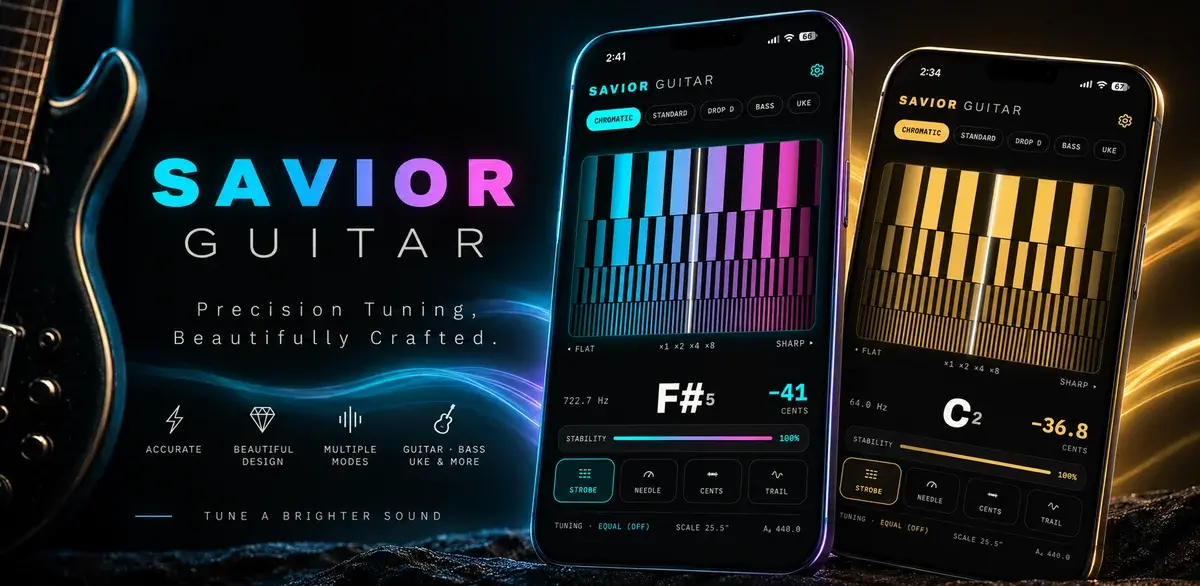
How a Free Web Tuner Earned Savior Guitar 1,400 Clicks, AI Citations, and the Case for a Pro App
A touring guitar tech in Goldsboro, NC had expert tuning methods and no way to share them beyond the bench. We built a free web tuner, used SEO to connect it with people searching for specific tunings, watched clicks climb from a handful a day to dozens, and then turned the proven demand into a pro tuner app for iPhone and Android.

Best Church Website Design Companies in 2026: 12 Firms Compared on Price, Timeline, and Who Owns the Site
The best church website design companies aren't the ones with the flashiest portfolio. They're the ones that tell you the price, the timeline, and whether you'll own the site before you sign anything. Here's an honest, fact-checked comparison of twelve firms, ours included.

The Real Church Website Cost Over Five Years (Builder, Platform, Custom, and the Volunteer Nobody Counts)
What does a church website cost over five years, once you count the subscription, the setup, the hours somebody spends updating it, and the redesign you'll do at least once? Here's the honest model, built on real published prices, not just the monthly number your finance committee sees.