
Website CMS Platform
A website platform built around three steps: describe, approve, done
The CMS we build client sites on, backed by our team of technology experts. Describe what you want changed, we turn it into a draft, you approve what goes live.
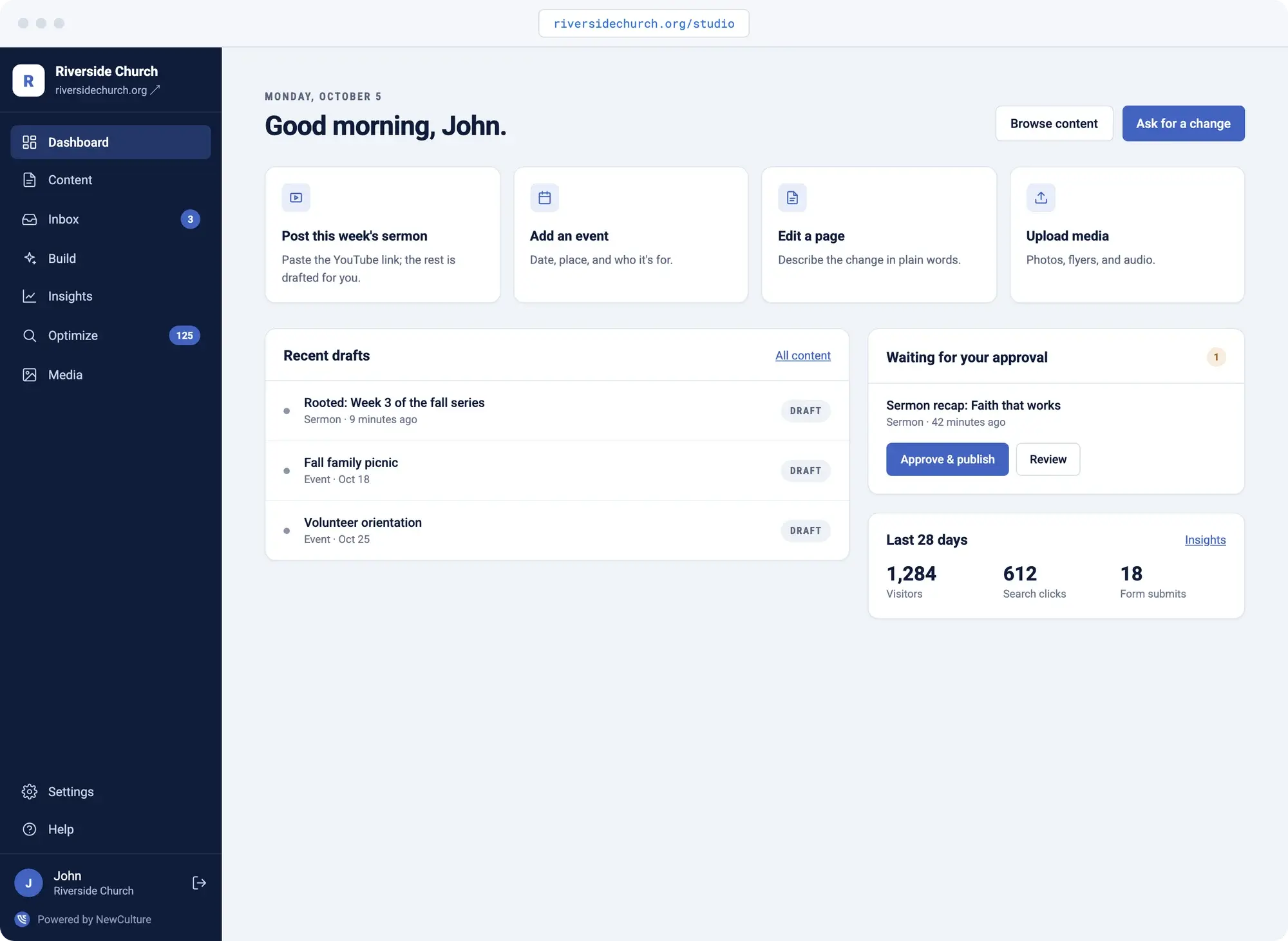
It's Tuesday night, and the website still shows last month's hours, last month's sermon, or an event that already happened. You know exactly what needs to change. What you don't have is a free evening to relearn a new website CMS, or a week to wait for somebody else to get around to it.
NewCulture Studio is the CMS platform we build our client sites on, backed by our team of experts. This isn't a drag-and-drop builder you end up fighting with for hours on a Saturday afternoon, and it isn't an agency ticket queue where your request waits its turn behind everyone else's. You describe the change in your words. Studio drafts it. The right person on your team approves it. Then it goes live.
Build
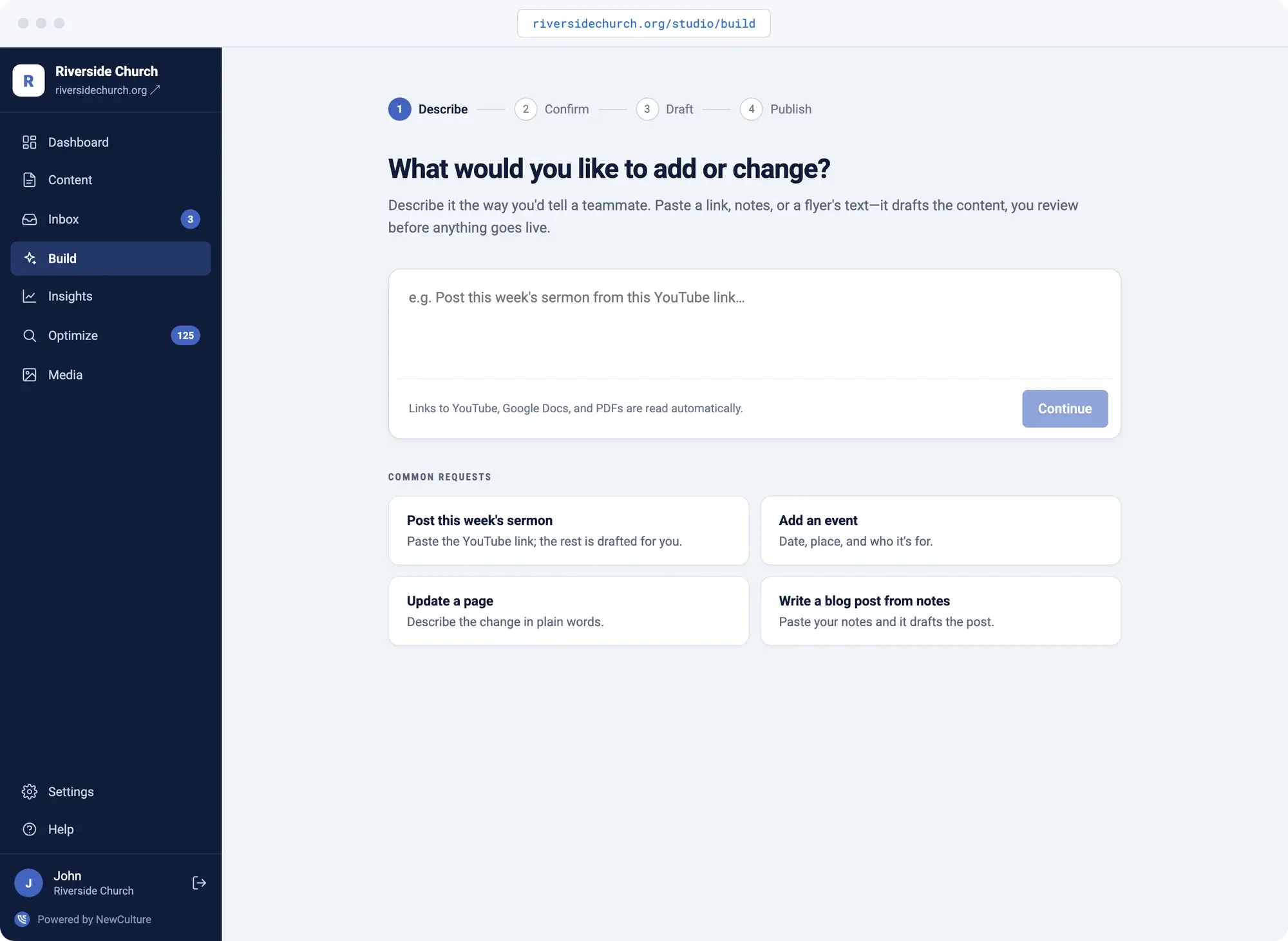
Describe what you need, get a draft to review
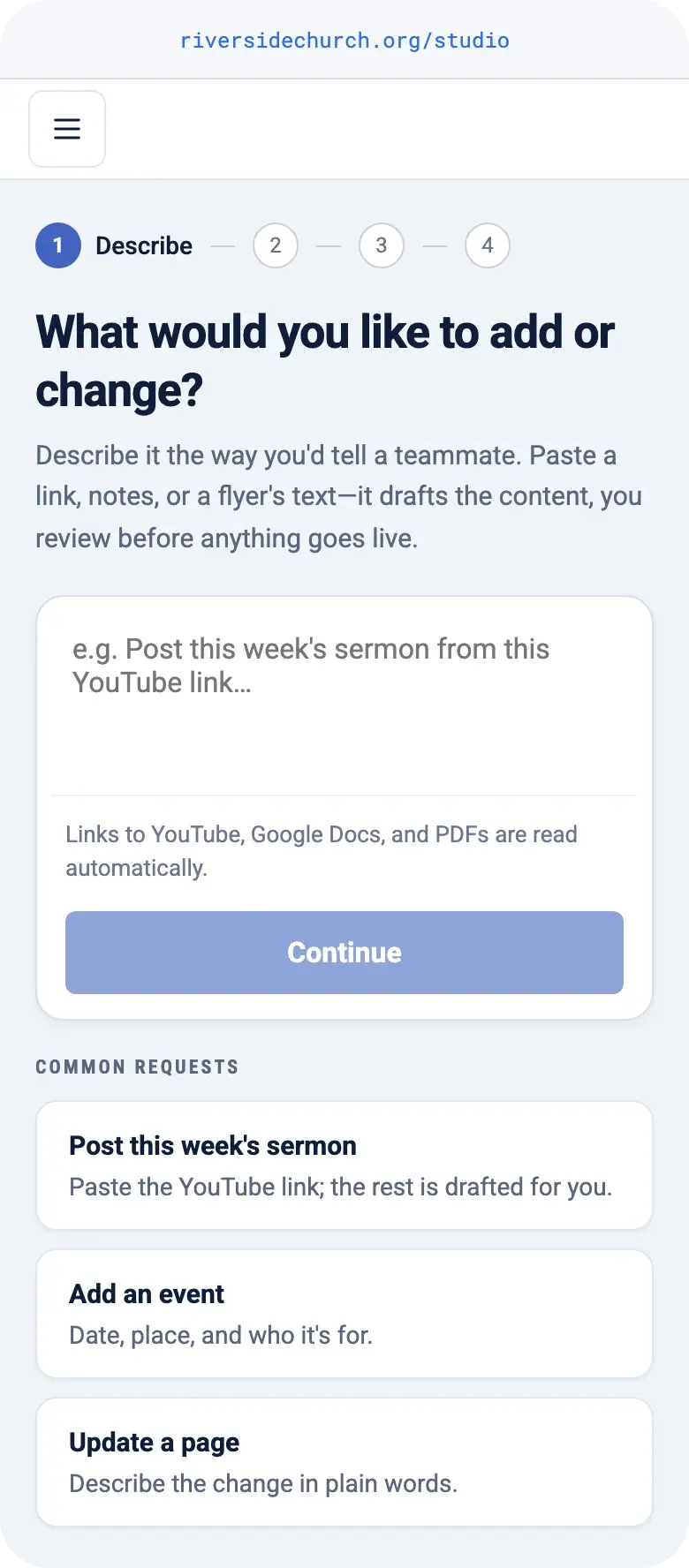
You don't open a page builder or drag blocks around hunting for the right layout. You type what you want in plain words, the way you'd text someone on your team, and Studio hands back a draft.
Under the hood it's a no code website builder that reads plain language instead of asking you to learn one. It isn't a generic AI website generator spitting out a templated page either. It drafts from your site's own content and custom design, in your site's own voice, and queues it for review.
Think about what that means in practice: you type "add a page about our new service with a photo and a call to action," and a few minutes later there's a real draft waiting, not a blank page waiting for you to write.
- Plain-language request, or a form if you prefer
- Asks clarifying questions before it drafts
- Undo removes exactly what it created
- Contributors submit, approvers publish
The editor
Edit any page without writing code
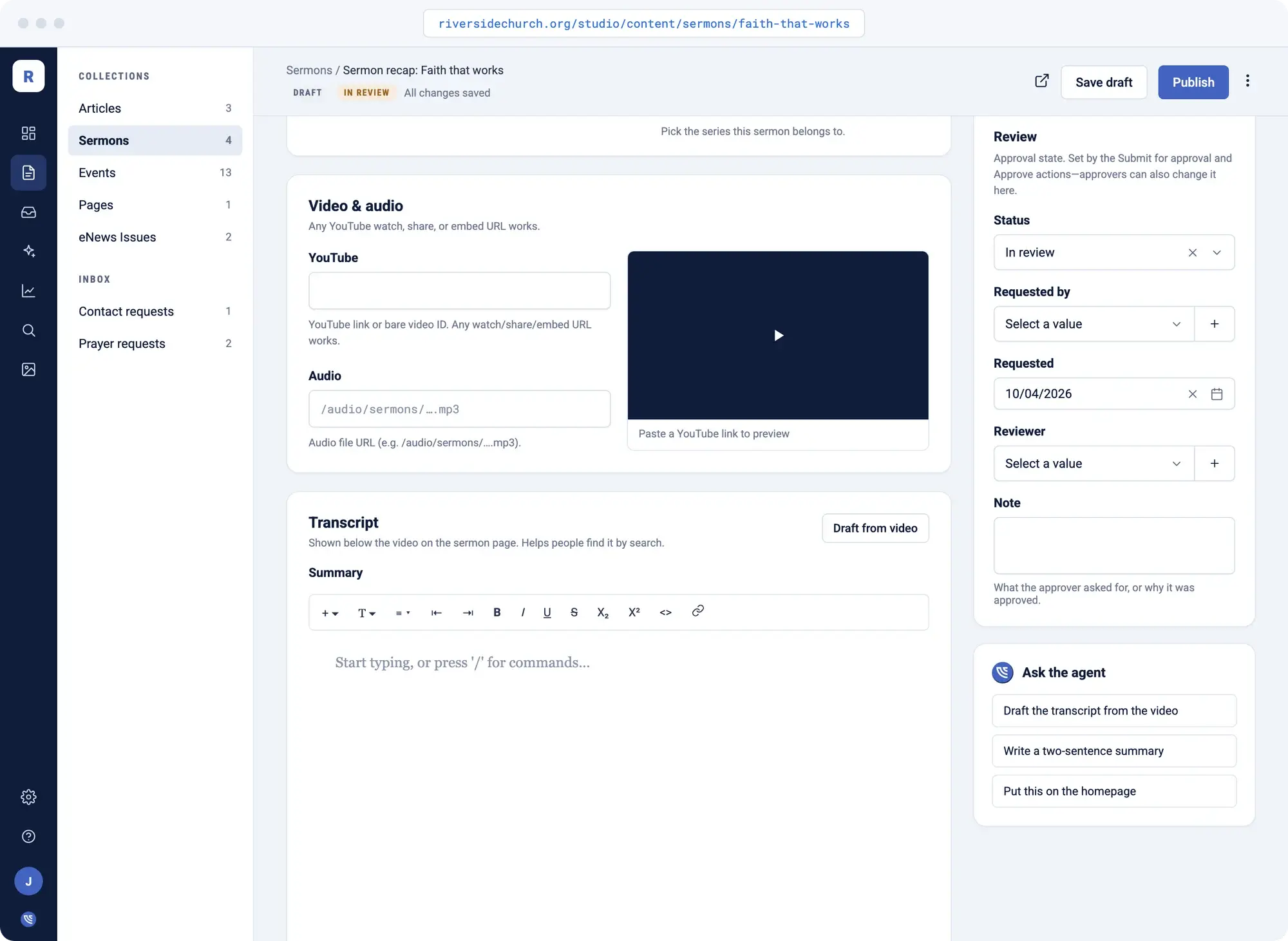
Pages, blog posts, sermons, events: every kind of content has its own editor with the fields it actually needs. Open it, change the words, swap the photo or the video link, and preview it before it publishes.
Rather not do it yourself? Ask NewCulture HQ from any edit screen to update specific content on any page, write a summary, or draft it from scratch. You still review it before it goes live.
- Ask HQ from any edit screen
- Find and replace across the whole site
- Search title and description on every page
- Preview before it publishes
Roles and review
Granular permissions means nothing goes live by accident
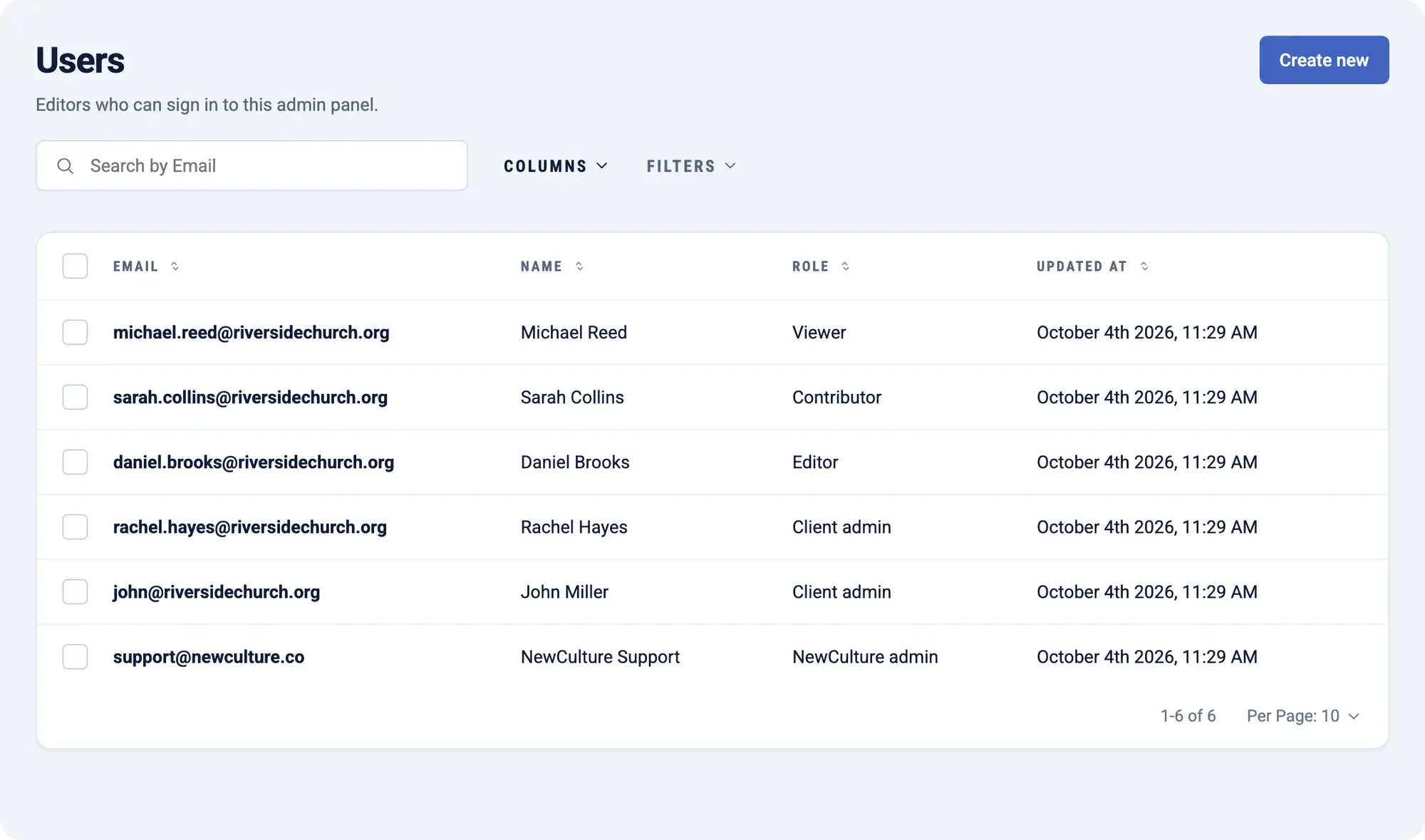
Studio has five roles, from viewer up to admin, and every edit starts as a draft with its own history before it's a published page. A contributor can write and submit. Only an approver can publish.
The newest person on your team can draft the whole page, and the one person responsible for what's public still gets the final look before anything goes out. That's the difference between a content management system that protects you and one that hands the keys to whoever's logged in.
- Five roles, viewer to admin
- Pending, approved, or changes requested
- Preview before it publishes
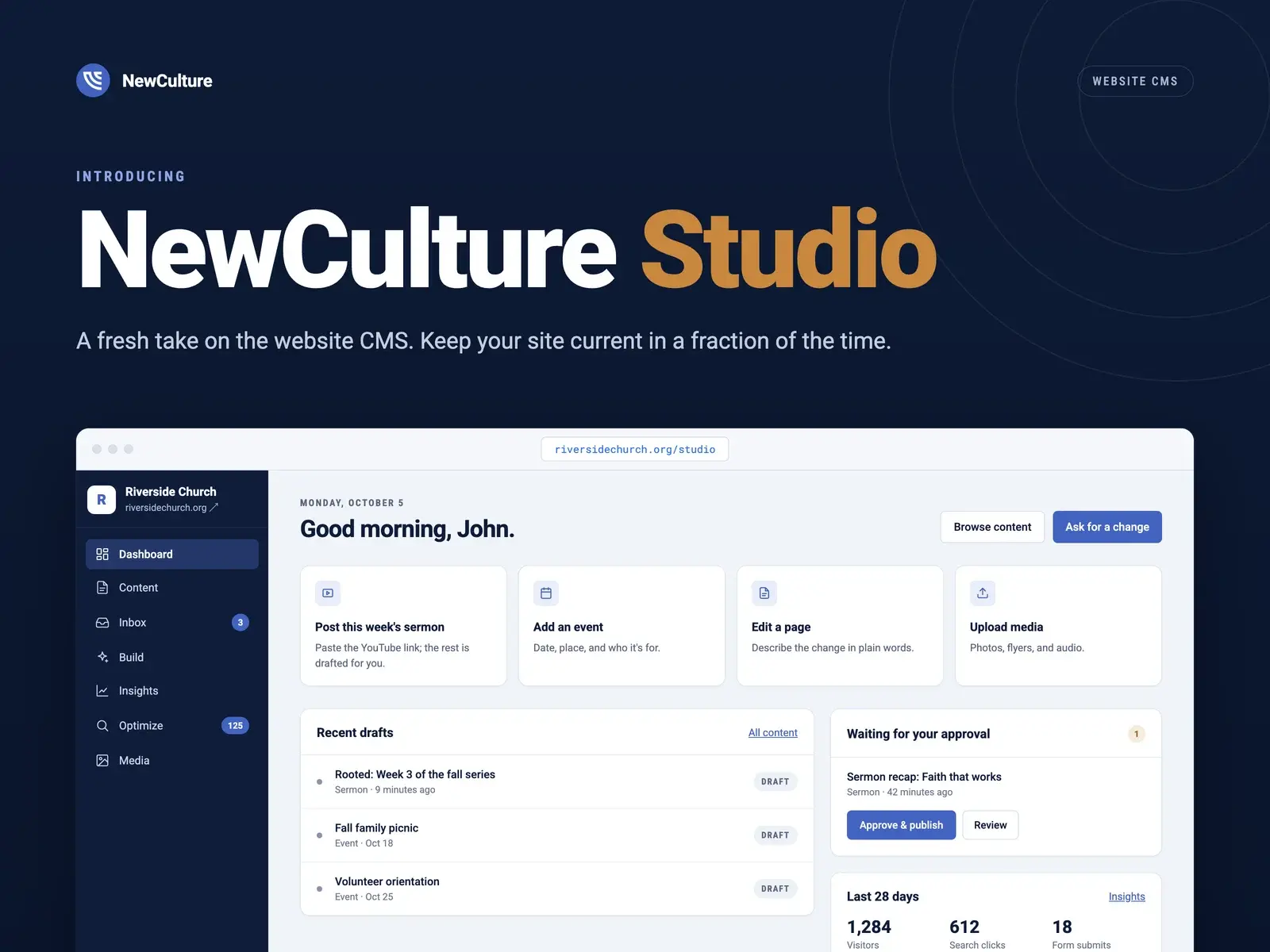
- Approval queue right on the dashboard
Integrations
Keep events in sync with the tools you already use
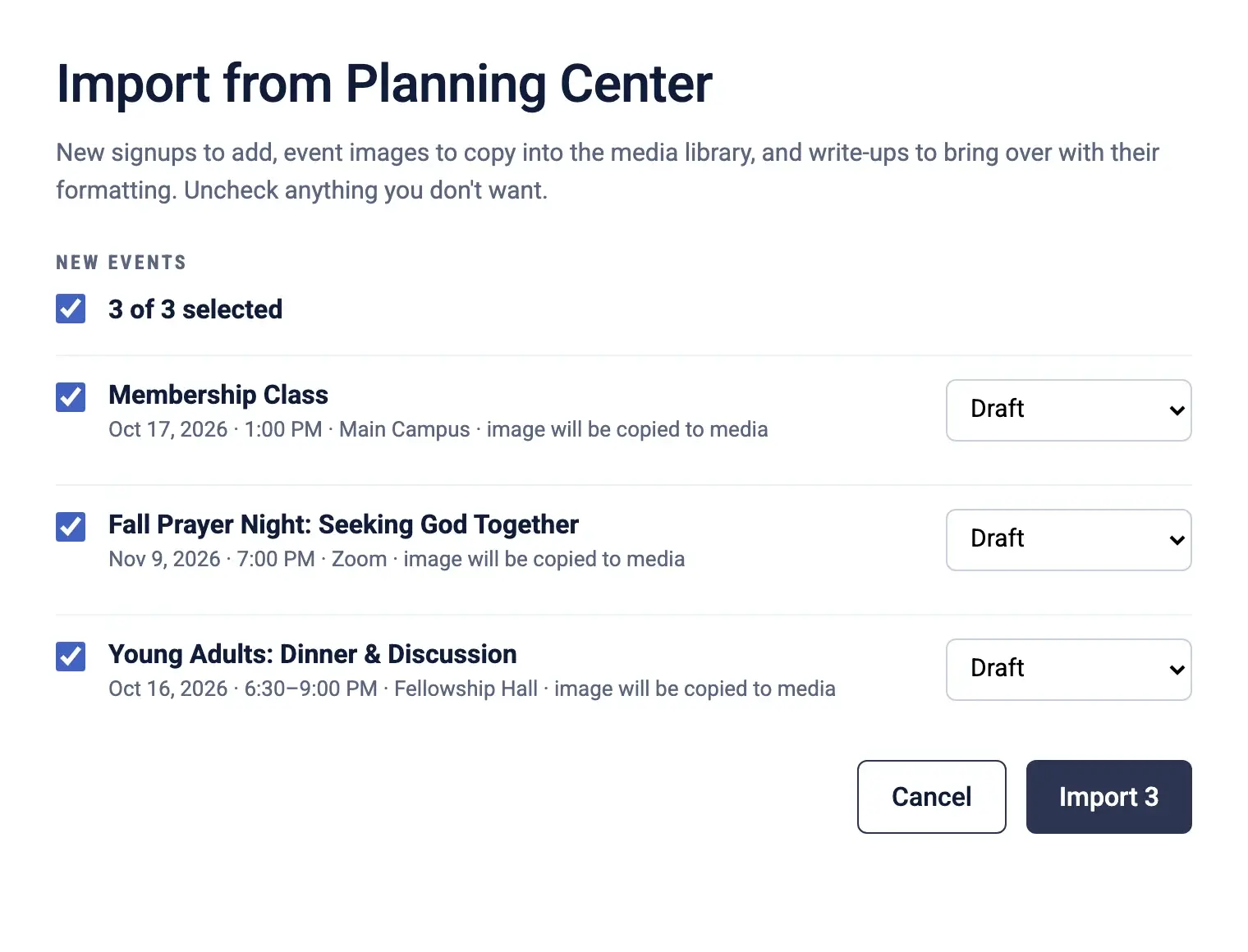
If your calendar lives in Planning Center or another service, one click brings the events into Studio: title, dates, location, registration link, and image. Run the import again and it updates what changed instead of creating duplicates.
Teaching videos work the same way. Point Studio at a YouTube playlist and each video comes in as a draft with its transcript attached, ready for someone to review.
- Planning Center events in one click
- YouTube playlists with transcripts
- Re-run to update, not duplicate
Inbox
Every form lands in one shared inbox, not someone's personal email
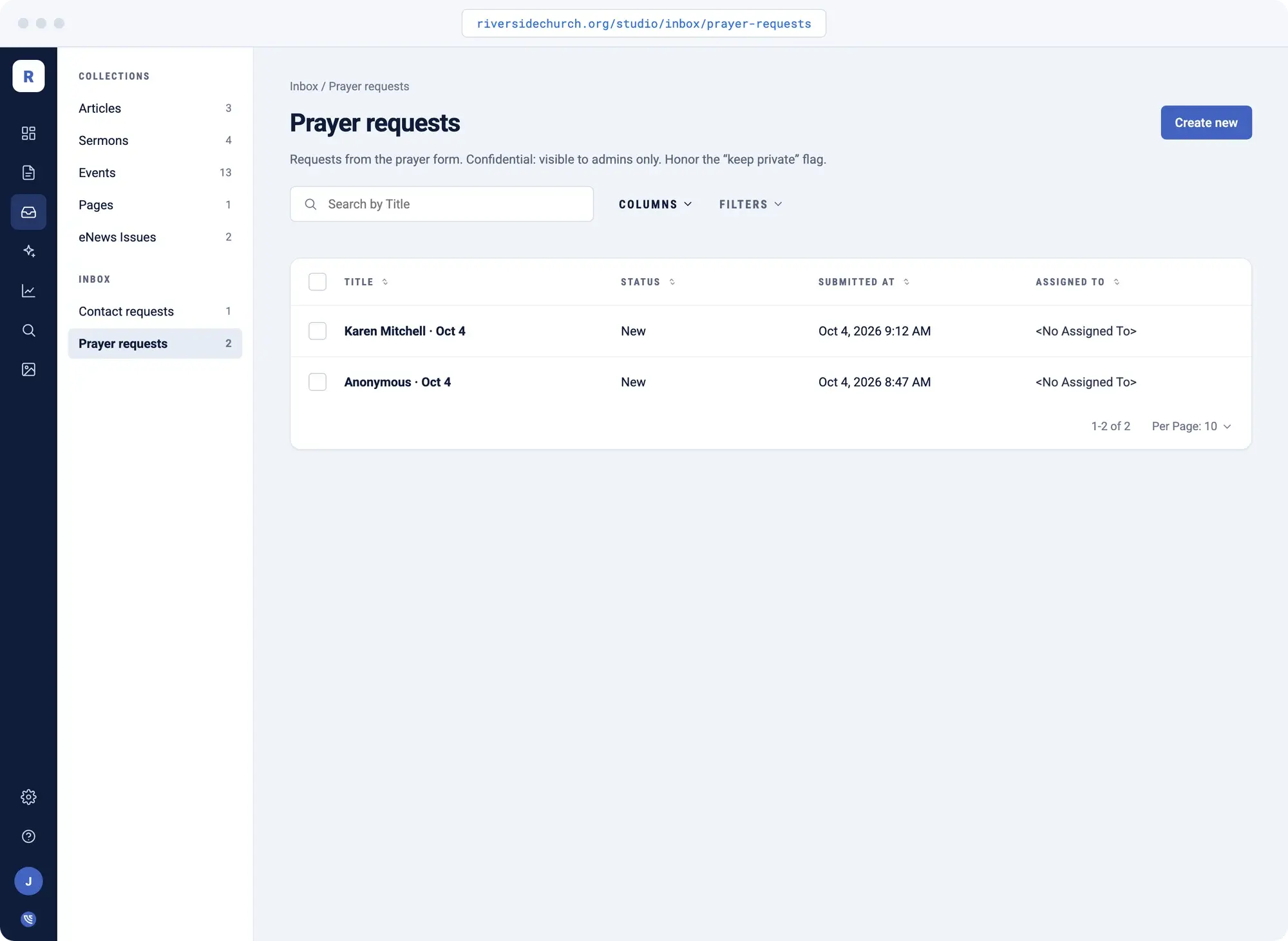
Contact forms, quote requests, prayer requests, volunteer sign-ups, whatever you collect. Each one lands in the Inbox with a status and an owner instead of disappearing into somebody's personal email.
Spam is filtered before anyone gets a notification. Bots are caught before they reach you, and rate limits catch the floods, so the submissions you actually see are real people asking for something.
- New, in progress, or done
- Assigned to a person
- Spam filtered automatically
- Shows which page sent the lead
Insights
Measure your progress with traffic and search analytics
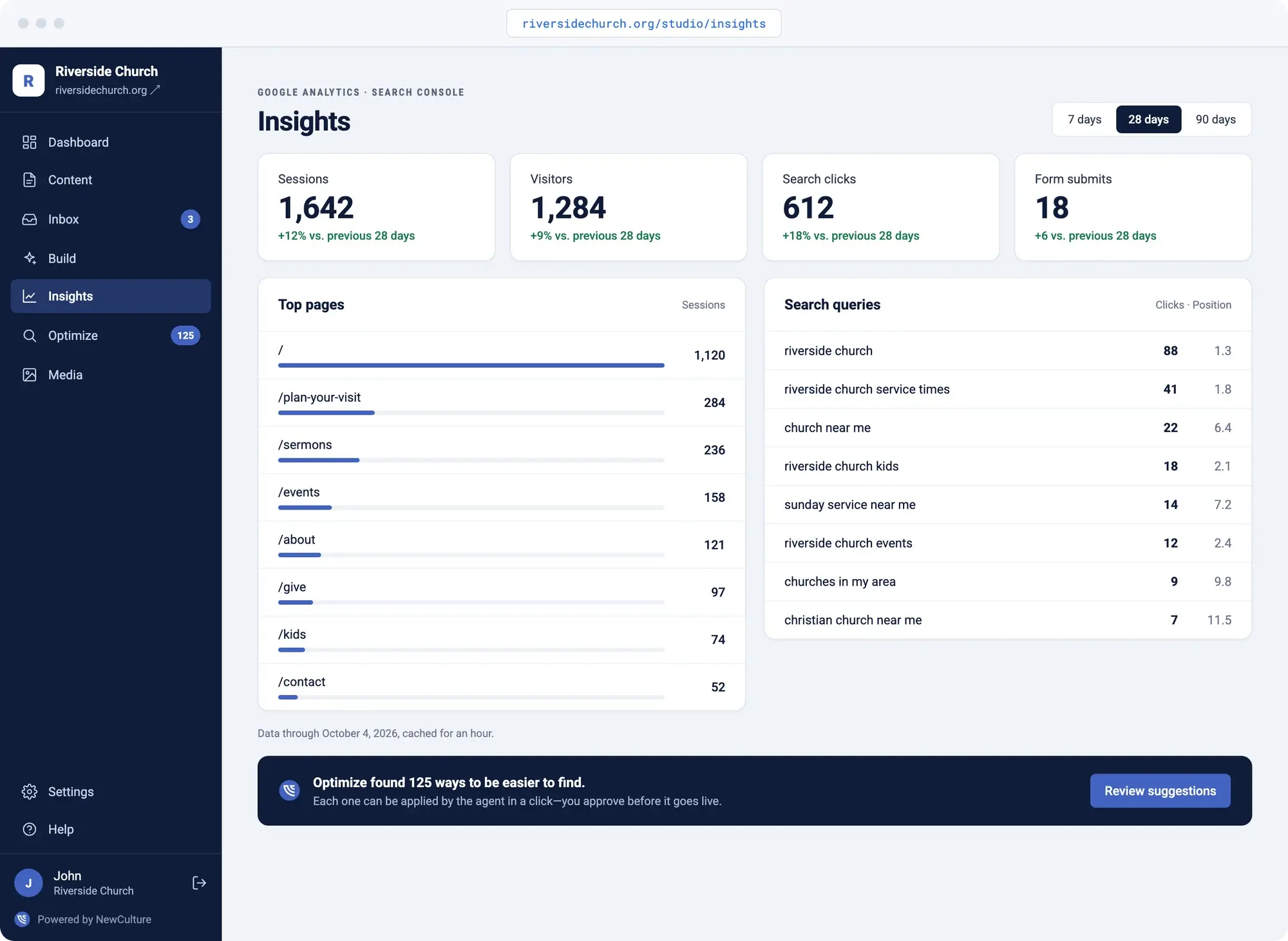
Insights pulls visitors, sessions, and time on site from your Google Analytics, and clicks, impressions, and ranking position from your Google Search Console, straight into the admin. It's your data, from your own accounts. We don't sit between you and it.
The dashboard also keeps a running 28-day card: visitors, search clicks, and form submits, with the change from the prior period, so you don't have to go looking for the number.
- Visitors and sessions
- Search clicks and impressions
- Your top pages
- Any date range
Search suggestions
Optimizations that can be applied in a click
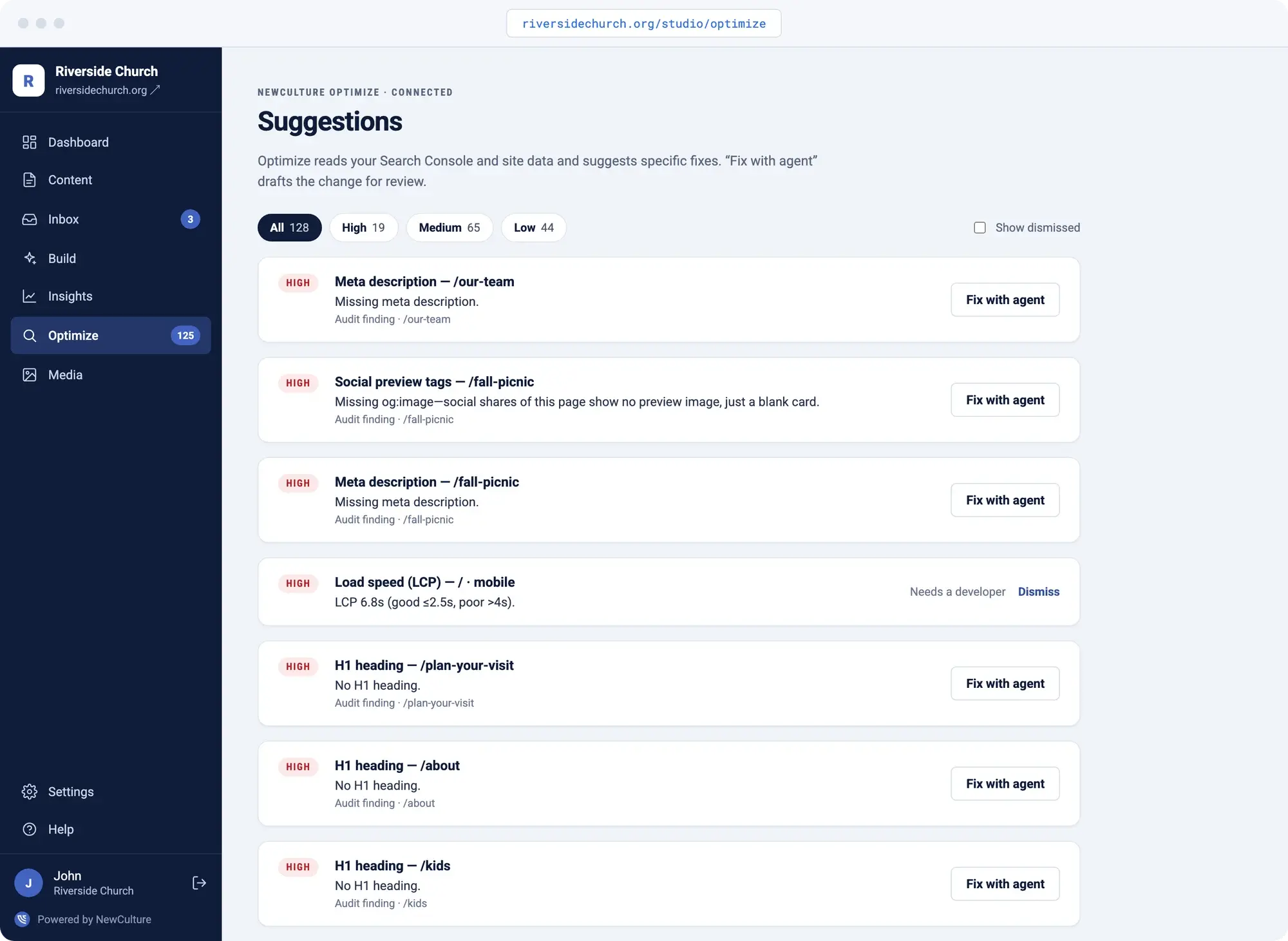
SEO suggestions sit inside Studio, grouped by how much they'd actually move the needle, not sorted alphabetically in a PDF nobody opens. Each one is a click away from the fix.
Instead of a 40-item audit and an invoice, you get a short list, and the high-impact ones open straight into Build with the fix already drafted for you to review.
- Grouped by impact
- Drafted, Dismissed, or Restored
- One click into a draft
- Dismiss what doesn't fit
Mobile
Mobile-friendly from day one
Most people will meet your website on a phone first, so every Studio site is built to read well on one before it's ever shown on a laptop.
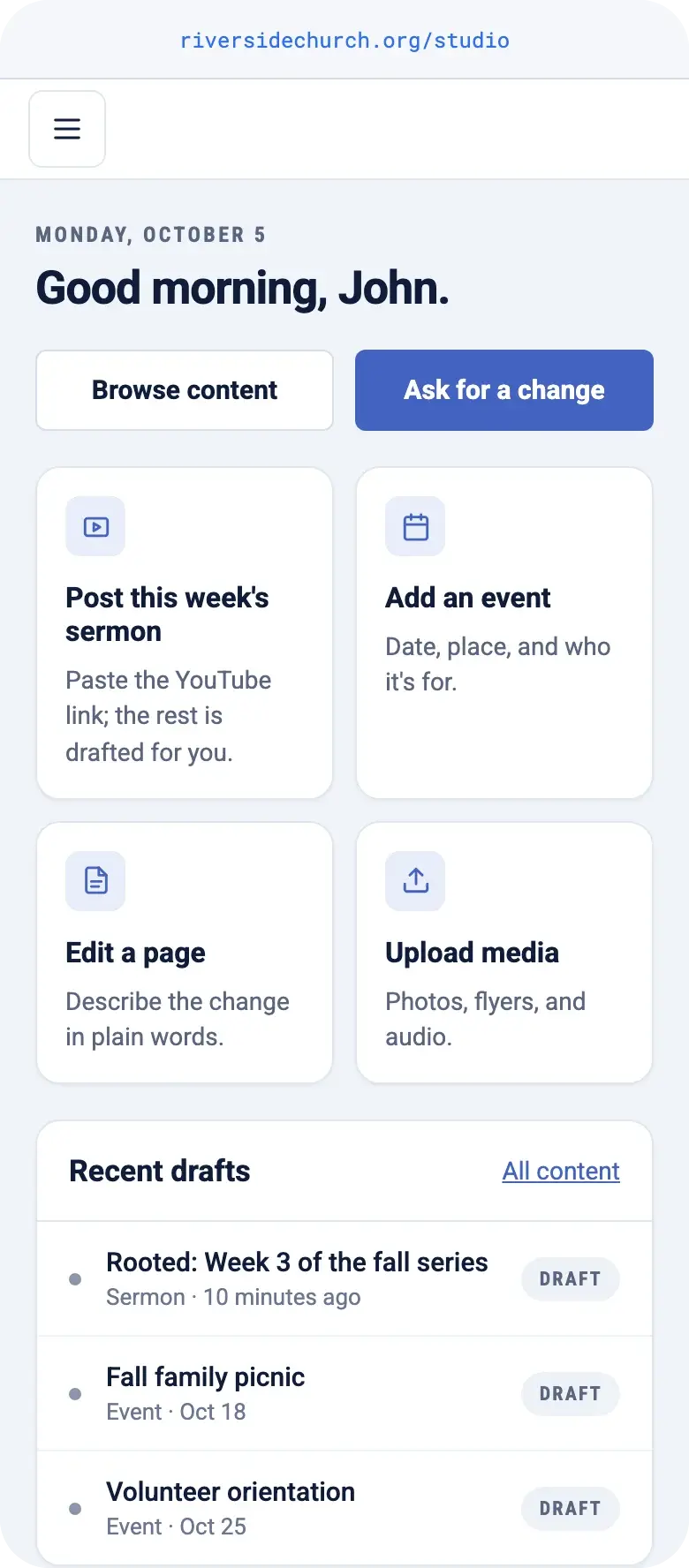
The admin works there too. Approve a draft between meetings, see what came in through a form, or describe a change from the parking lot. Keeping the website current doesn't wait until you're back at your desk.
- Every site built to work on a phone
- Approve and publish from anywhere
- Describe a change in a sentence
Find the Studio page built for you
The platform above works the same way for everyone. What's different is the chore eating your week, so pick the page that matches: churches, Messianic congregations, nonprofits, or small businesses.
Churches
The sermon, the bulletin, and the calendar become the website without a second write-up.
ExploreMessianic congregations
Drashot filed by parashah, feast pages that return on their own, and Shabbat's teaching live before everyone's home for lunch.
ExploreNonprofits
Turn program notes and impact reports into pages, no designer needed.
ExploreSmall businesses
Small changes are a sentence, and no quote request falls through the cracks.
ExploreWhat every Studio site includes
Every Studio site, whatever audience it serves, runs on the same website content management system underneath, and every one gets this same list.
- A central Admin interface with your name and logo on it, at your own domain under /studio
- Describe a change in your words and get a draft to review
- Nothing goes live until the right person approves it
- Every edit retains version history. Preview before it publishes
- Search/Meta titles and descriptions auto-filled in for every page
- Media library with required alt text, stored on durable cloud storage
- Forms with spam protection and a shared inbox with statuses
- Traffic and search analytics from your own accounts, always accessible
- SEO suggestions that turn into content drafts
- Scheduled publishing in your timezone
- Hosting, security, backups, and platform updates handled for you
- Your site, your content, your code. Month to month
Frequently Asked Questions
It's the content management system we build client sites on, plus the team that runs it with you. It isn't a drag-and-drop builder like Wix or Squarespace that leaves you fighting a layout grid, and it isn't a slow agency queue where your request waits its turn. You describe the change, Studio drafts it, your team approves it, and it publishes.
You do. Your domain, your content, and the code underneath are yours, and Studio runs month to month with no contract locking you in. If you ever decide to leave, we help you migrate off instead of holding your site hostage.
Whoever you put in the approver role. Contributors can write and submit changes, but nothing publishes until an approver reviews it, with a preview available before it goes out. You set who holds that role, and you can change it any time.
It becomes a message straight to our team, not a dead end. Build handles pages, articles, events, teachings, and summaries from a prompt, and anything outside that turns into a request we handle directly. Either way, you're not left guessing at a workaround on your own.
$195 a month, month to month, or $2,145 a year if you'd rather pay once. That covers hosting, security, backups, platform updates, and content updates we publish for you with a 1 to 3 business day turnaround, on top of everything you can do yourself in the admin.
Ready to stop fighting your website?
Book a 15-minute call. We'll look at what you're working with now and tell you whether NewCulture Studio is the right fit.
Talk to us about Studio