
Google for Nonprofits: Who Qualifies and How to Apply

Every month, Google makes up to $10,000 in free advertising available to eligible nonprofits. Not a grant you apply for through a foundation. Not a competitive program with limited slots. A standing offer.
Most nonprofits either don't know it exists, or they assume they don't qualify. Some do qualify and still lose months to an application filled out wrong.
Google for Nonprofits is a free Google program that gives verified nonprofits discounted Google Workspace, up to $10,000 a month in Google Ad Grants search advertising, the YouTube Nonprofit Program, and Google Maps Platform credits. It's built for organizations doing real charitable work who don't have the budget for what these tools would normally cost.
Who Qualifies for Google for Nonprofits?
Eligibility comes down to your organization type. Here's how it breaks down under U.S. rules.
| Organization type | Eligible? |
|---|---|
| 501(c)(3) registered nonprofits | Yes |
| Churches and religious organizations with 501(c)(3) status | Yes |
| Fiscally sponsored organizations without their own 501(c)(3) | No |
| Governmental entities and organizations | No |
| Hospitals and healthcare organizations | No (charitable arms and foundations of healthcare organizations qualify) |
| Schools, academic institutions, and universities | No (philanthropic arms of educational organizations qualify) |
How to Apply: The 5-Step Process
The process itself is simple. Getting it right the first time is where organizations trip up.
- Confirm eligibility for your country. Rules shift outside the U.S., so check the requirements where your organization is registered.
- Request an account at google.com/nonprofits. Click "Get started" and create your Google for Nonprofits account.
- Get verified by Goodstack. Goodstack is Google's validation partner. Most requests are reviewed in 2 to 14 working days.
- Activate each product separately. Workspace, Ad Grants, YouTube, and Maps each need their own activation. Getting verified doesn't turn them all on automatically.
- Set up the products you'll actually use. Start with the Ad Grant. It's the benefit with the most immediate reach—and if building it out isn't something anyone on your team has time for, Ad Grant management for nonprofits covers the setup and the monthly work for $750 one-time plus a flat $495 a month.
What You'll Need Before You Apply
Have these ready before you start:
- Your EIN
- Your IRS 501(c)(3) determination, with your organization in good standing
- An official organization email address and a working website
- Someone authorized to represent the organization submitting the application
Why Applications Stall
We've seen organizations lose months of access because of problems that were entirely preventable. The same handful of mistakes show up again and again:
- Applying under fiscal sponsorship with no 501(c)(3) of your own
- Organization details that don't match your IRS records exactly
- No working website or domain tied to the organization
- An application email that was never verified
- Choosing the wrong entity type during signup
None of these are complicated. All of them are avoidable. Slow down at the application step and you'll save yourself weeks later.
Can Churches Qualify for Google for Nonprofits?
Yes. Churches with 501(c)(3) status qualify, including churches covered under a group exemption. A lot of church leaders assume this program isn't for them. It is.
If you lead a church or ministry and want to know exactly where you stand, see our guide to Google Ads for churches—what qualifies, what doesn't, and what to do with the Grant once you have it.
What Google Ad Grants Actually Does for Your Organization
Google Ad Grants gives your nonprofit the ability to run text ads in Google Search results—the ads at the top of the page when someone searches for something relevant to your mission.
Think about what that means in practice. When someone searches "Biblical Hebrew courses online," or "food bank in [your city]," your organization can appear at the top of those results. Not because you outspent anyone. Because Google made that visibility available to you for free.
The people clicking those ads aren't stumbling across you. They're searching for what you offer. That's the most valuable kind of traffic there is.
We helped Holy Language Institute get approved for Google for Nonprofits and launch their first Ad Grants campaigns—putting them in front of people searching for Biblical Hebrew education across the globe. For a volunteer-run charity committed to keeping their courses affordable, $10,000 a month in free advertising was reach that would have been impossible otherwise.
We've also helped Mussar Center, a nonprofit focused on character development and Jewish ethical wisdom, set up Google Ads campaigns that grew both their paid search presence and their organic rankings. Paid and organic aren't competing strategies. Done right, they reinforce each other.
Why Grants Get Suspended
Google Ad Grants comes with compliance requirements that catch a lot of organizations off guard once they're running campaigns:
- Your account must maintain a minimum 5% click-through rate—campaigns that don't perform get flagged
- You need valid conversion tracking in place—Google wants proof the ads drive real action, not just clicks
- Ad groups must follow specific structural guidelines—broad, generic campaigns don't meet the bar
- You must use keyword-specific ads—no single-word keywords, limited use of overly broad terms
Break these rules and your account gets suspended. You lose access until you fix the issues and go through reinstatement. We've seen it happen to organizations that were otherwise doing everything right.
Where to Start
Not sure where your organization stands? Our free Google Ad Grant Eligibility Checklist walks you through eligibility, the documentation Google looks for, and the order to do it in. Drop your email and it lands in your inbox in two minutes.
I believe deeply in this program. For nonprofits and ministries doing meaningful work with limited resources, $10,000 a month in free advertising isn't just a nice perk. It's mission-expanding. The people searching for what you offer deserve to find you.
If you lead a church, start with our Google Ads for churches guide. Everyone else, start with the checklist. One step. It starts there.

About the Author
Jon Horton is the founder of NewCulture. With 20+ years in technology and digital strategy, he helps businesses, nonprofits, and churches build their online presence and reach more people.
Keep Reading
More from the Blog
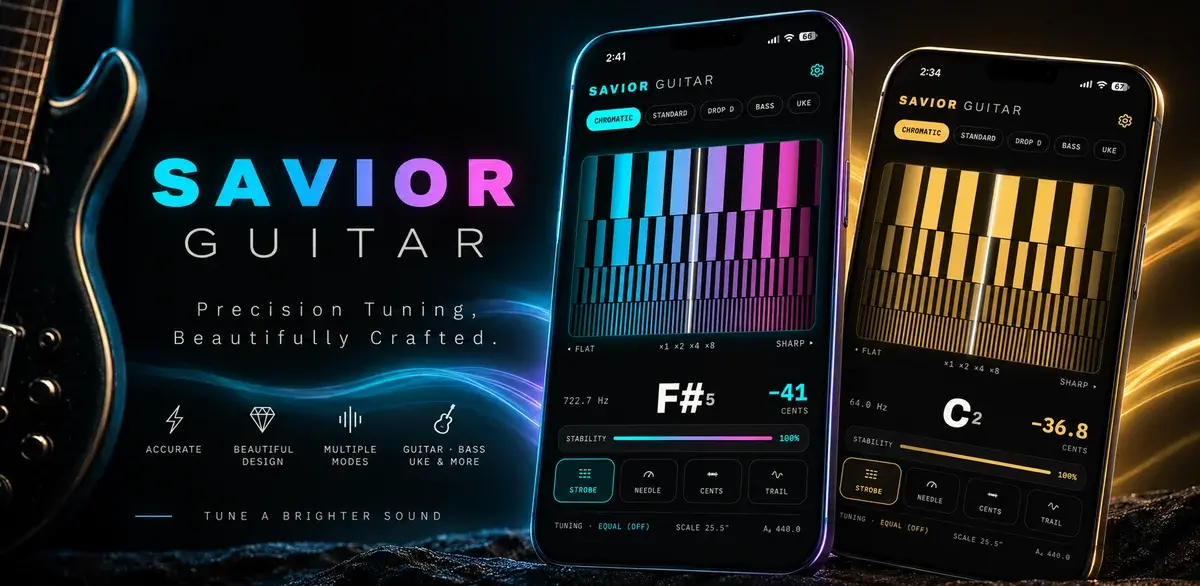
How a Free Web Tuner Earned Savior Guitar 1,400 Clicks, AI Citations, and the Case for a Pro App
A touring guitar tech in Goldsboro, NC had expert tuning methods and no way to share them beyond the bench. We built a free web tuner, used SEO to connect it with people searching for specific tunings, watched clicks climb from a handful a day to dozens, and then turned the proven demand into a pro tuner app for iPhone and Android.

Best Church Website Design Companies in 2026: 12 Firms Compared on Price, Timeline, and Who Owns the Site
The best church website design companies aren't the ones with the flashiest portfolio. They're the ones that tell you the price, the timeline, and whether you'll own the site before you sign anything. Here's an honest, fact-checked comparison of twelve firms, ours included.

The Real Church Website Cost Over Five Years (Builder, Platform, Custom, and the Volunteer Nobody Counts)
What does a church website cost over five years, once you count the subscription, the setup, the hours somebody spends updating it, and the redesign you'll do at least once? Here's the honest model, built on real published prices, not just the monthly number your finance committee sees.