
Studio for churches
Keep your church website updated with less time and effort
Make sure what they find is current. NewCulture Studio keeps this week's sermon, the events calendar, and every page up to date in minutes, so the church a guest meets online is the one they'll find on Sunday.
Somewhere on your team is the person who runs the church website. Most weeks they're also running the bulletin, the check-in software, the volunteer schedule, and whatever came up Tuesday that nobody planned for. The website isn't neglected because nobody cares. It's neglected because it's never the most urgent thing on a list that never ends.
Studio is a church website builder and CMS built around that reality. It doesn't ask the admin, or the volunteer who inherited this job, to learn a new system. It asks them to paste a link, write a sentence, or approve a draft in the gaps between everything else they're already doing.
The pastor still gets final say. Nothing goes live without the right person clicking approve. The difference is that approving takes thirty seconds, from a phone, instead of a meeting that never gets scheduled.
- Sunday's sermon sits on YouTube for a week before anyone builds the web page for it.
- Events live in Planning Center and get retyped onto the website by hand.
- The bulletin announcement gets written twice, once for print and once for the web, if it gets written for the web at all.
- A prayer request comes in by email and gets forwarded around before anyone decides what to do with it.
- The volunteer who knows the website password isn't on staff anymore, and nobody else wants to touch it.
The admin's week
One dashboard that shows what actually needs you
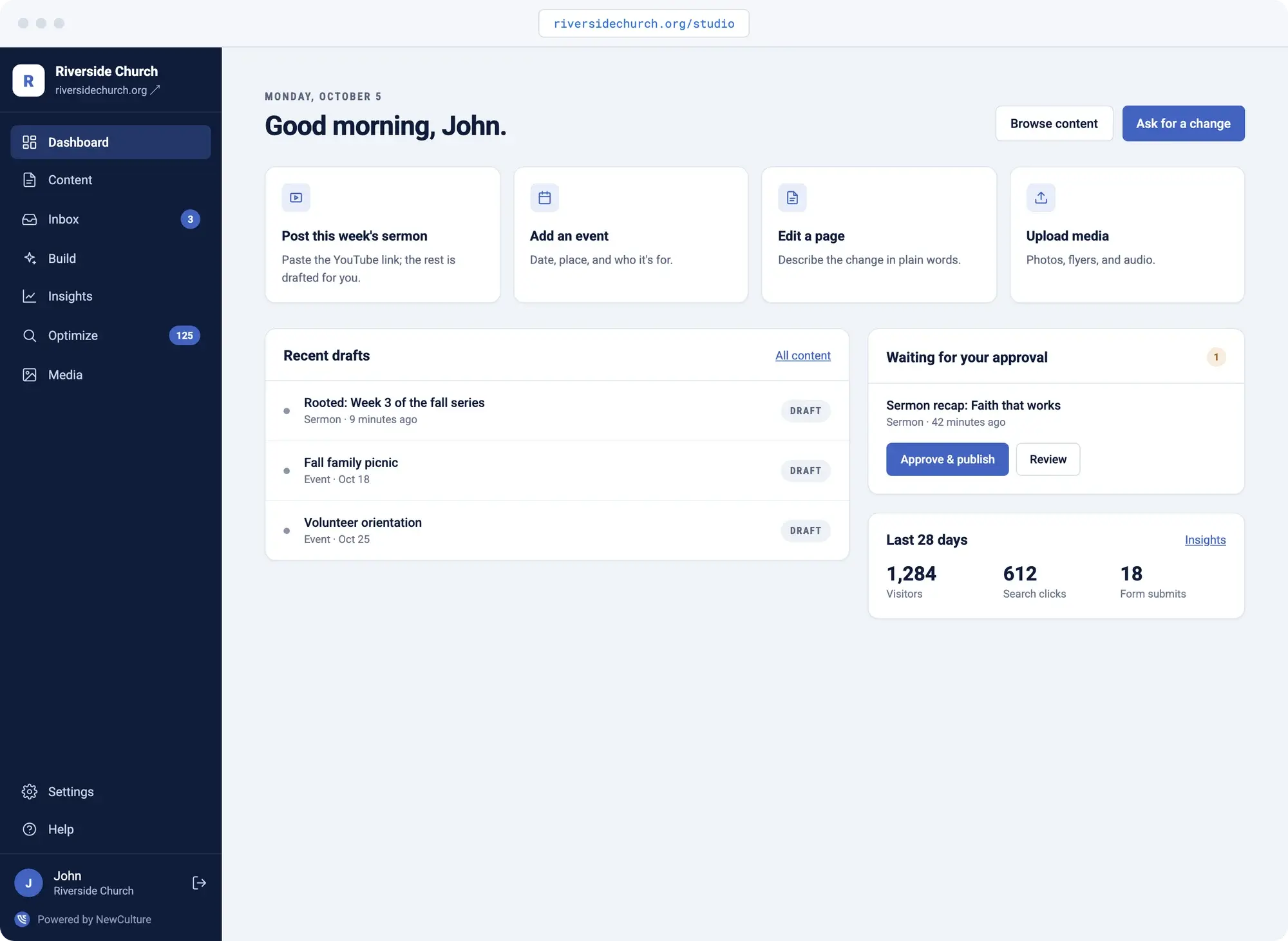
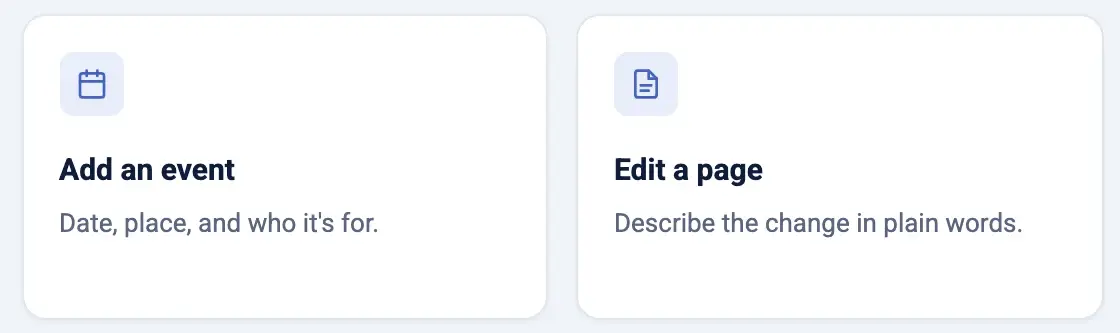
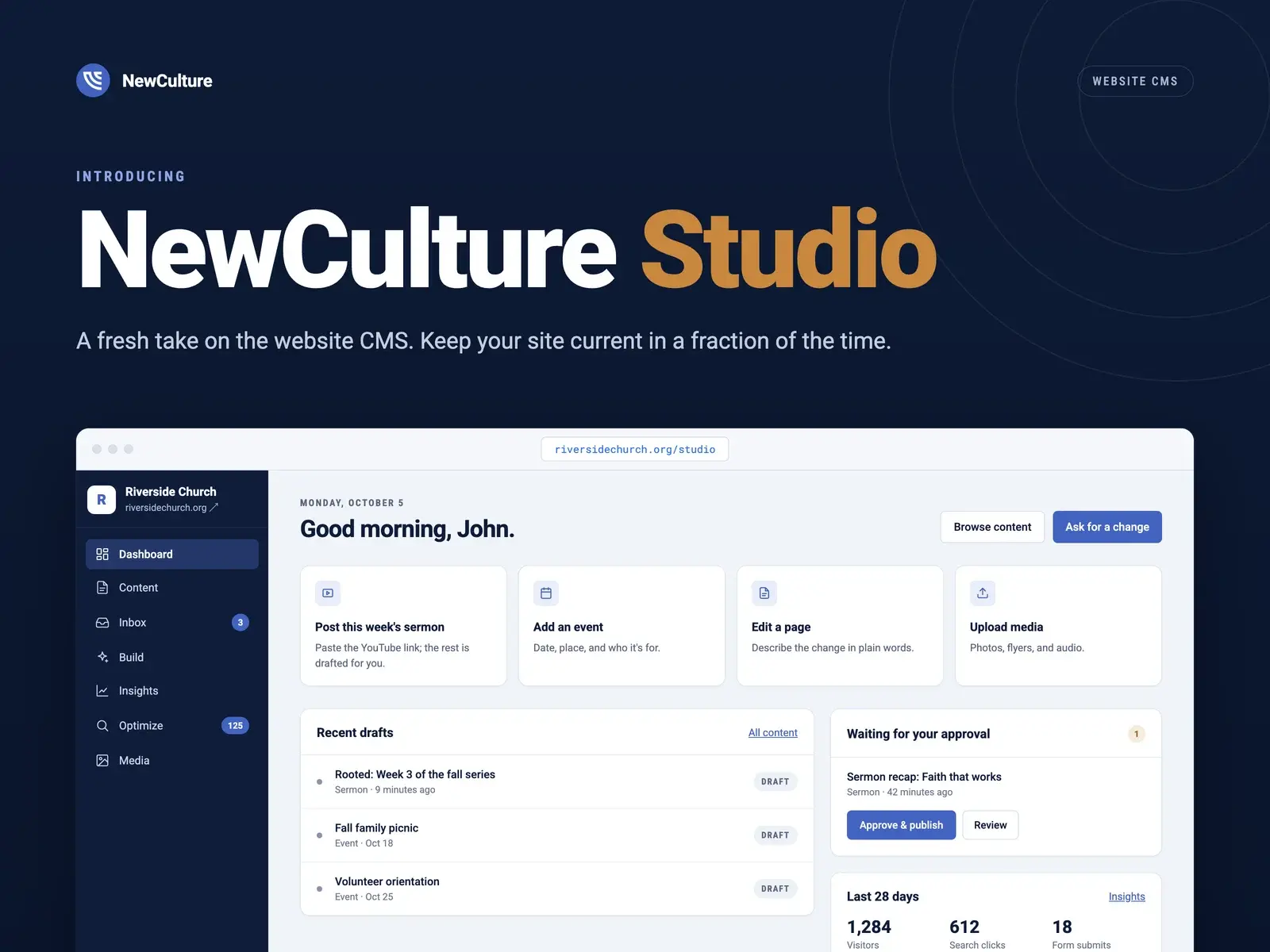
Studio opens on a dashboard built around a church's actual rhythm, not a generic content calendar. Quick actions for the things you really do: post this week's sermon, add an event, edit a page, upload a photo from Sunday.
Below that, a queue of anything waiting on approval and a 28-day card showing visitors, search clicks, and form submissions. Think about what that means in practice: the person running the church website opens one screen on a Tuesday morning and knows, in ten seconds, what needs them today and what doesn't.
- Quick-action cards
- Approval queue
- 28-day visitor and search snapshot
Sunday's sermon becomes a page from one link
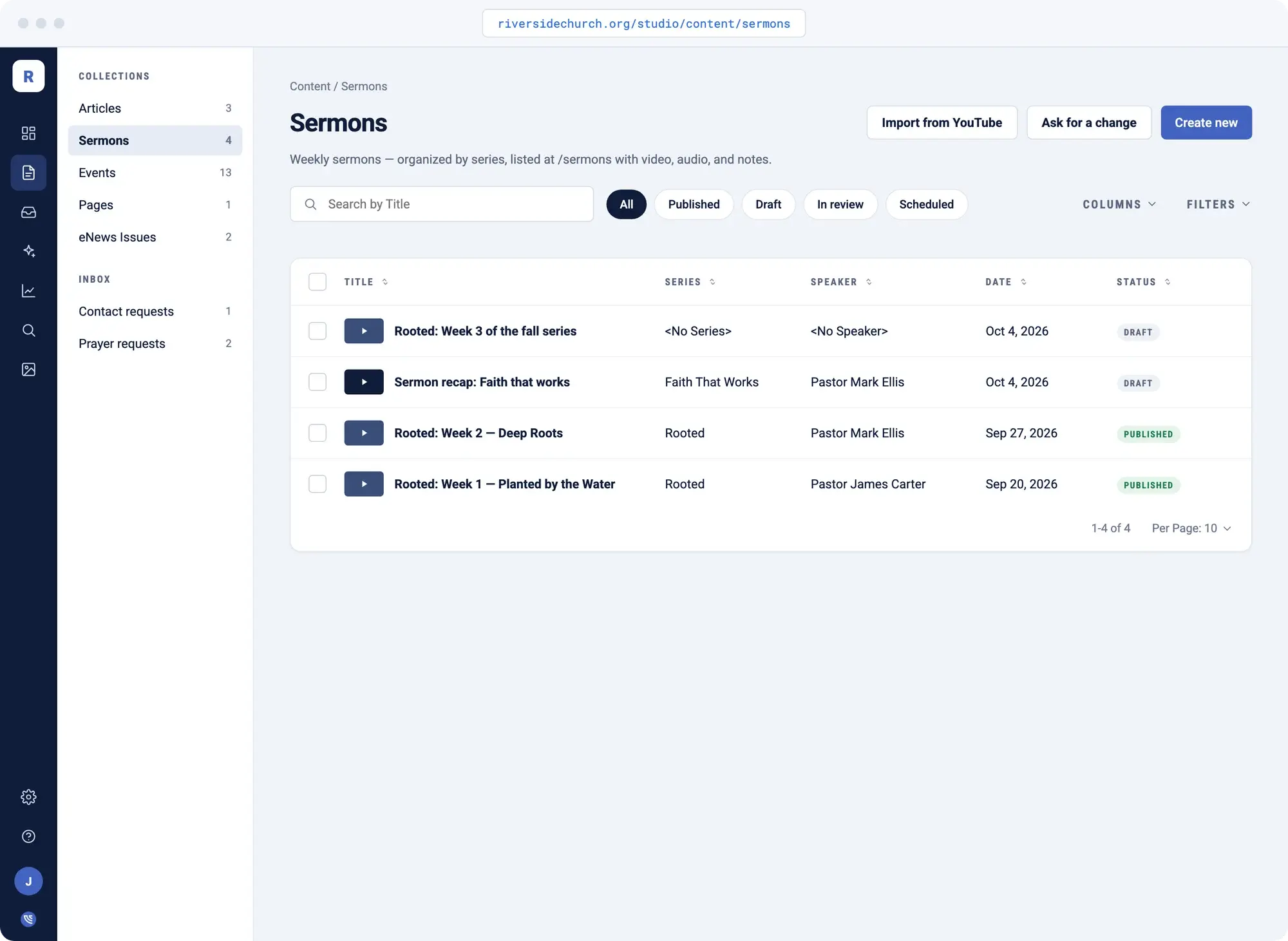
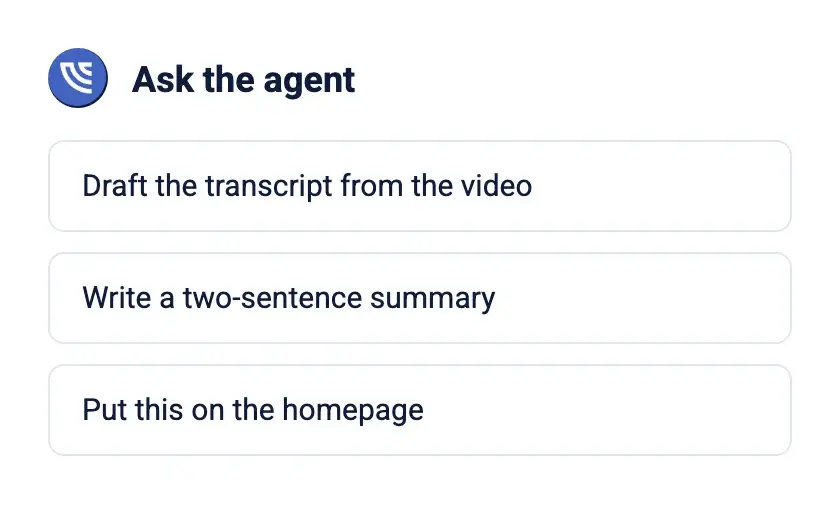
Paste the YouTube link into the Build tab. Studio pulls the title, the speaker, the series, and the full timestamped transcript, then drafts the sermon page and queues it for approval. The piece that used to get skipped most weeks is now the one that takes the least effort.
Got a backlog sitting unpublished on your channel? Point the importer at the playlist, review up to fifteen candidates at a time, and bring years of sermons onto the site with a transcript and video preview on every one.
- Title, speaker, and series pulled automatically
- Full timestamped transcript
- Playlist import for backlogs
The bulletin announcement becomes the web update
Paste what's already written for Sunday's bulletin into Build, and it drafts the event or article for the web version. Nobody writes the announcement twice. Review it, approve it, and it's live.
When it's a smaller change, a corrected phone number or a new paragraph on the visit page, Ask for a Change finds every place it appears and swaps it, or rewrites it, without hunting through pages.
- Event or article from pasted notes
- Ask for a Change on any page
- Review before it publishes
Integrations
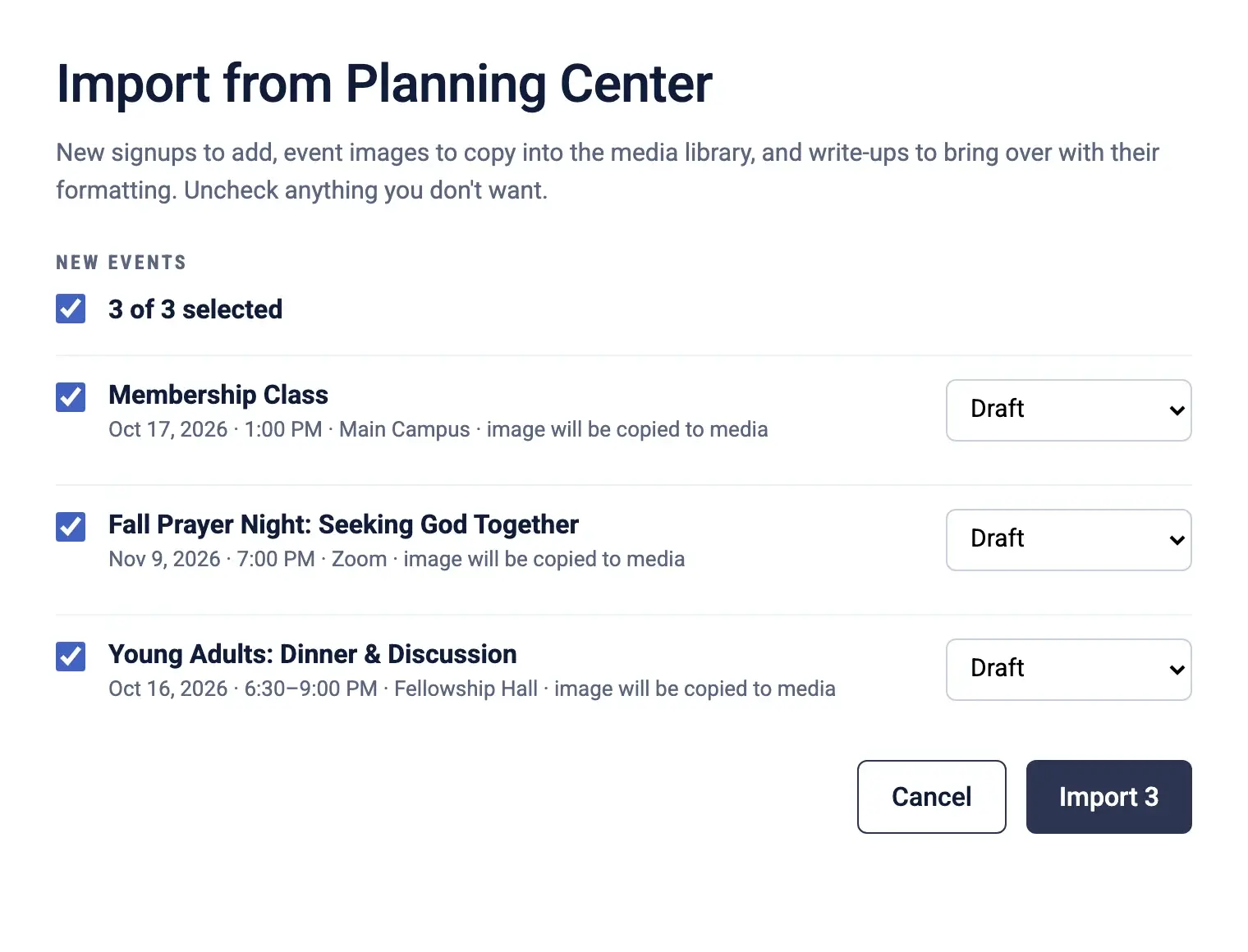
Keep events in sync with Planning Center
If your calendar already lives in Planning Center, one click brings the events into NewCulture Studio. Title, dates, location, registration link, and image come across, and running the import again updates what changed instead of duplicating it.
That's one less place where a volunteer is quietly retyping the same information they already entered somewhere else.
- Planning Center website integration
- One click to import
- Re-run to update, not duplicate
Online giving
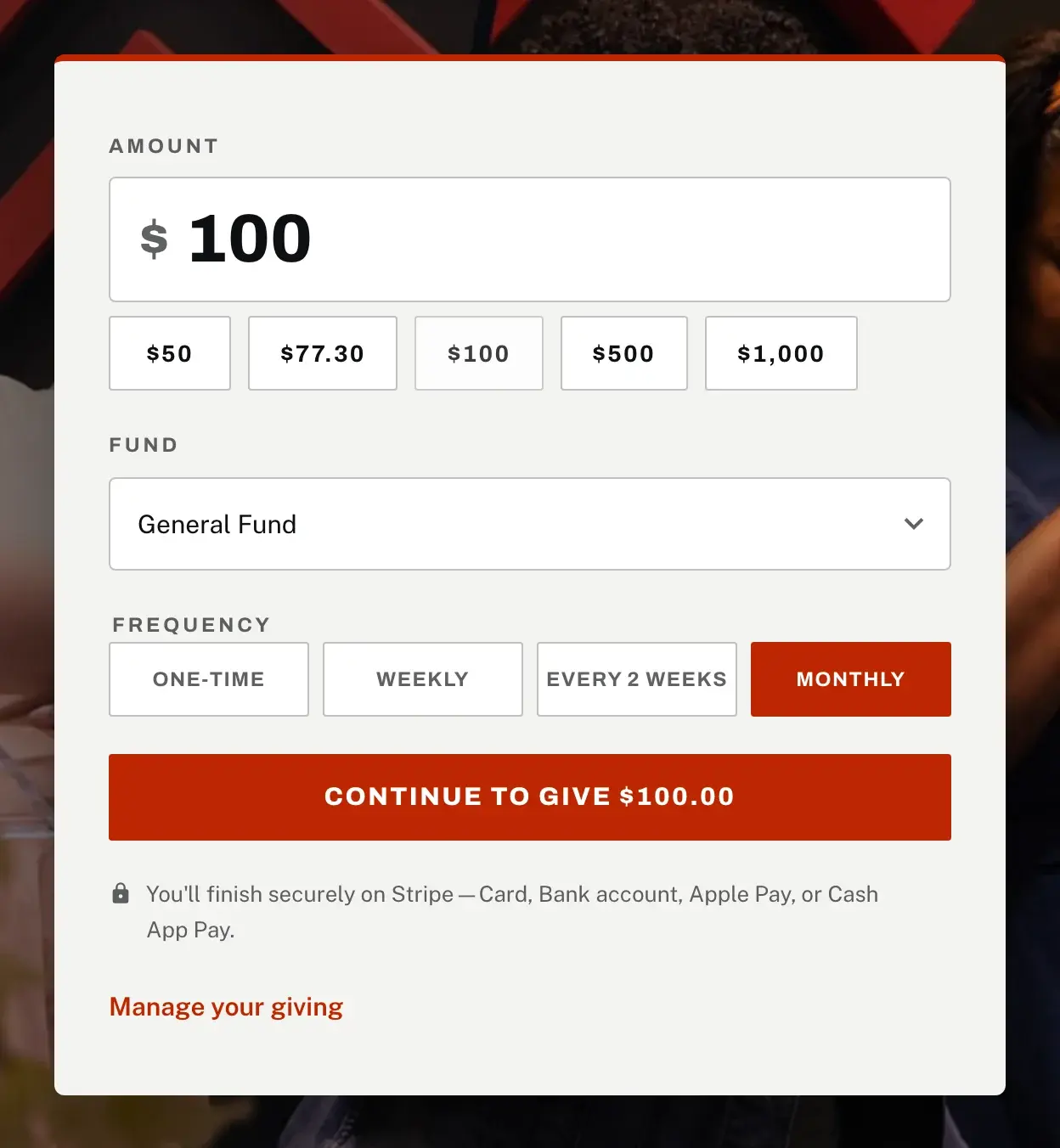
Giving that lives on your own website
Studio church sites can add online giving built on Stripe. A guest picks a fund and an amount, pays by card, bank account, or Apple Pay, and gives once or sets up weekly, every-two-weeks, or monthly giving, without leaving your site for a third-party page with someone else's logo on it.
Givers manage their own recurring gifts through a secure portal, and every gift is recorded in your admin with the fund and the date. Advance Church takes gifts this way today.
- Designated funds, like General or Missions
- One-time, weekly, every two weeks, or monthly
- Givers manage their own recurring gifts
- Every gift recorded in your admin
Prayer requests are handled with care
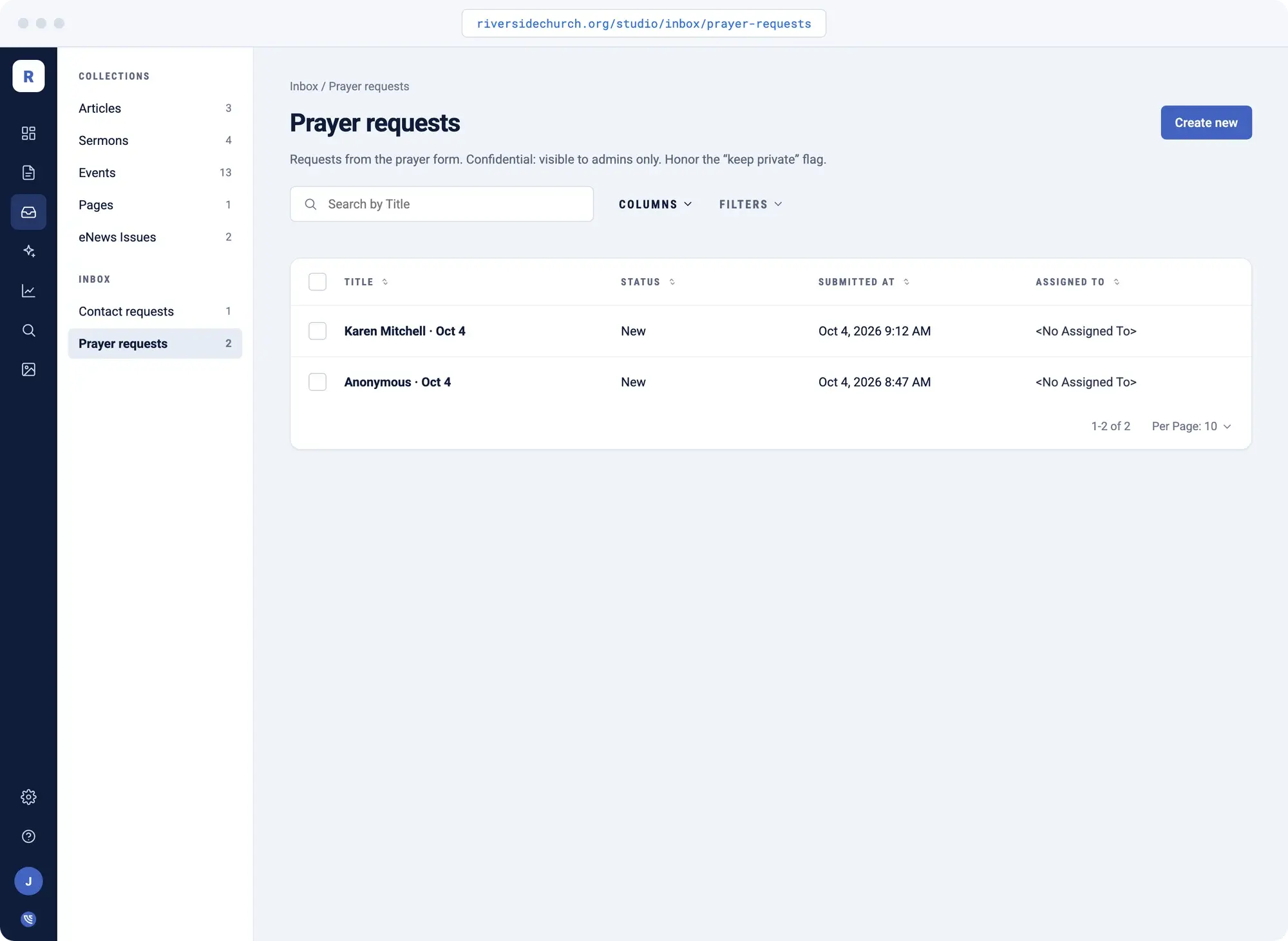
A prayer request form stores what someone shares confidentially. Only approvers can open the actual request. The notification email tells the right person that a request arrived, not what it says, so a private moment doesn't end up forwarded through three inboxes before anyone decides what to do with it.
Every submission lands in one Inbox with a status, so nothing quietly falls off the bottom of someone's email.
- Confidential by default
- Notification without the details
- Status tracked in one Inbox
Approval queues mean nothing goes live by accident
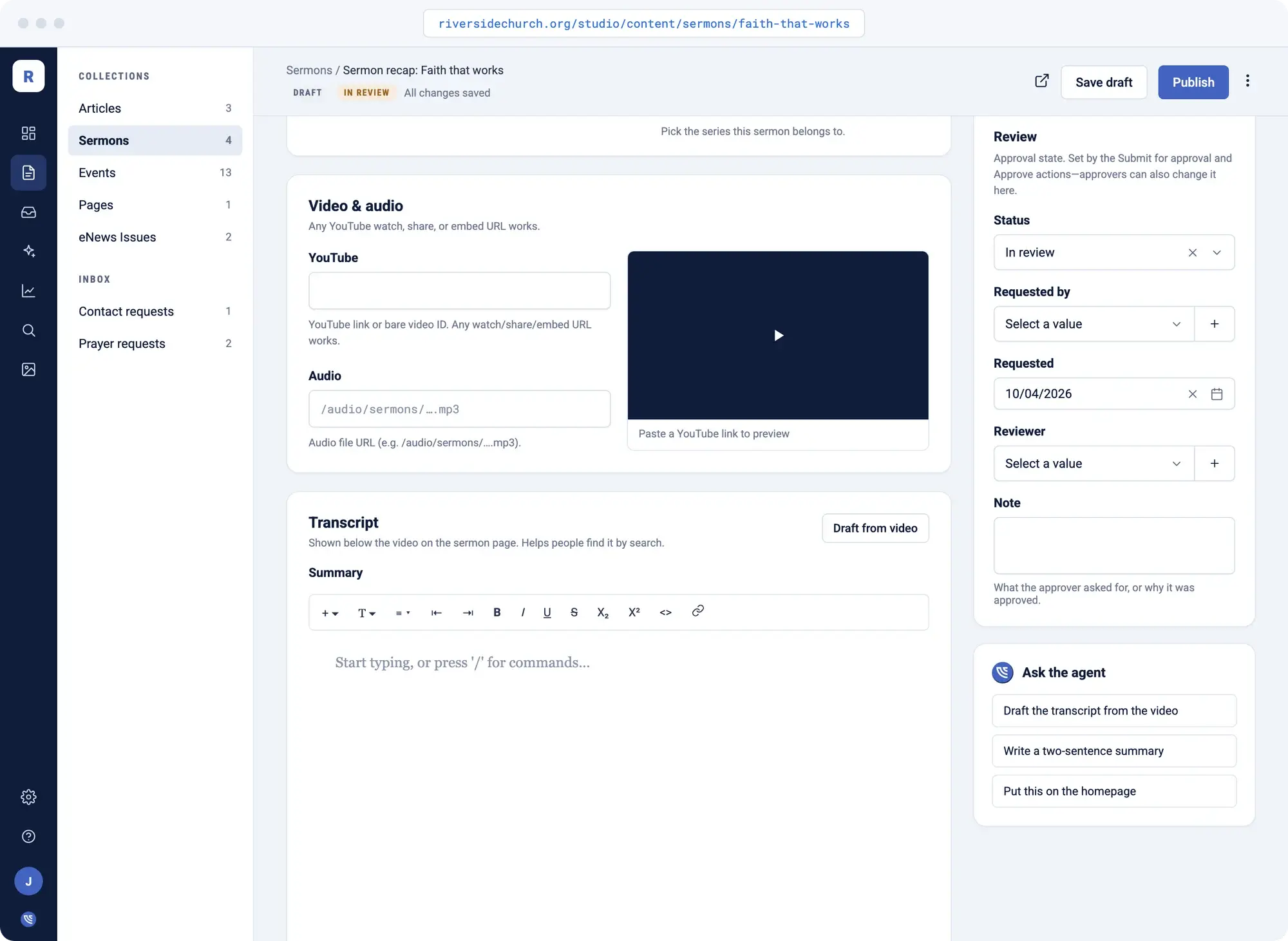
A volunteer can draft and submit a change without the fear of accidentally publishing something half-finished. The pastor or admin reviews it and approves with one click from the dashboard, on a phone if that's where they are between meetings.
Contributors draft. The right person approves. Every edit keeps its history, so you can always see what changed and who changed it.
- Draft and submit, don't publish directly
- One-click approval from a phone
- Version history on every edit
Does anyone actually visit the website?
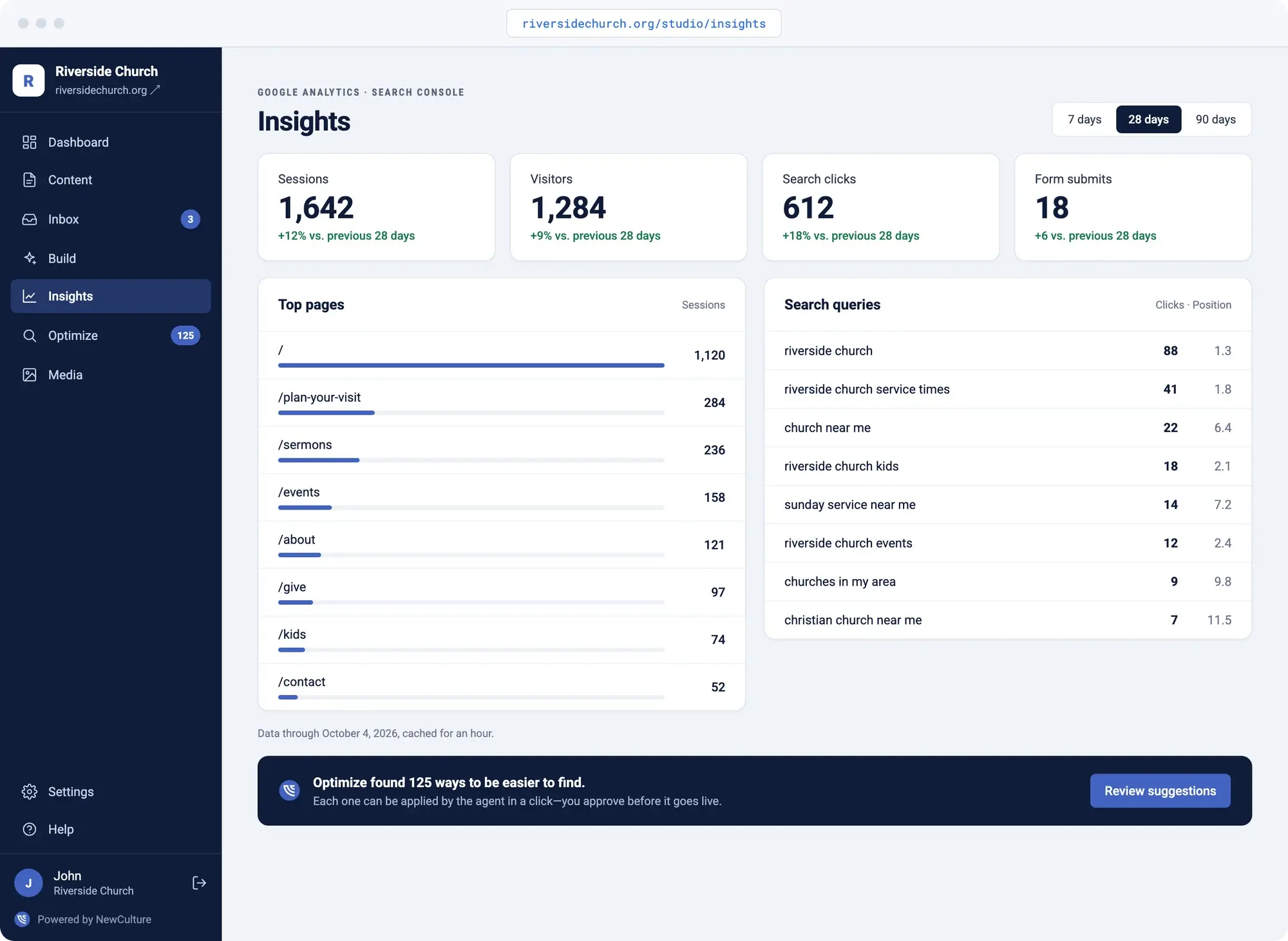
Insights pulls visitors, search clicks, and your top pages straight from your own Google accounts, inside the admin you're already using. You're not guessing whether the new website platform is doing anything. You can see it.
It already speaks your language
NewCulture Studio's church pack speaks the language your team already uses, not generic content-management terms, and church website management gets easier without having to hire someone.
- Sermons
- A dedicated content type with speaker, series, transcript, and video preview, not a generic blog post.
- Series
- Group sermons the way your congregation actually experiences them, across weeks or seasons.
- Speaker
- Pastor, bishop, or guest, tracked on every sermon so the right name shows up every time.
- Events
- Dates, location, registration link, and an import path from Planning Center when your calendar already lives there.
- Prayer requests
- A confidential form preset built for what people actually share, not a generic contact form.
- Pages
- Hero, text, cards, CTA, and FAQ blocks you can rearrange without touching code.
- Giving
- Funds, one-time or recurring gifts, and a record of every gift, on your own site.
Advance Church
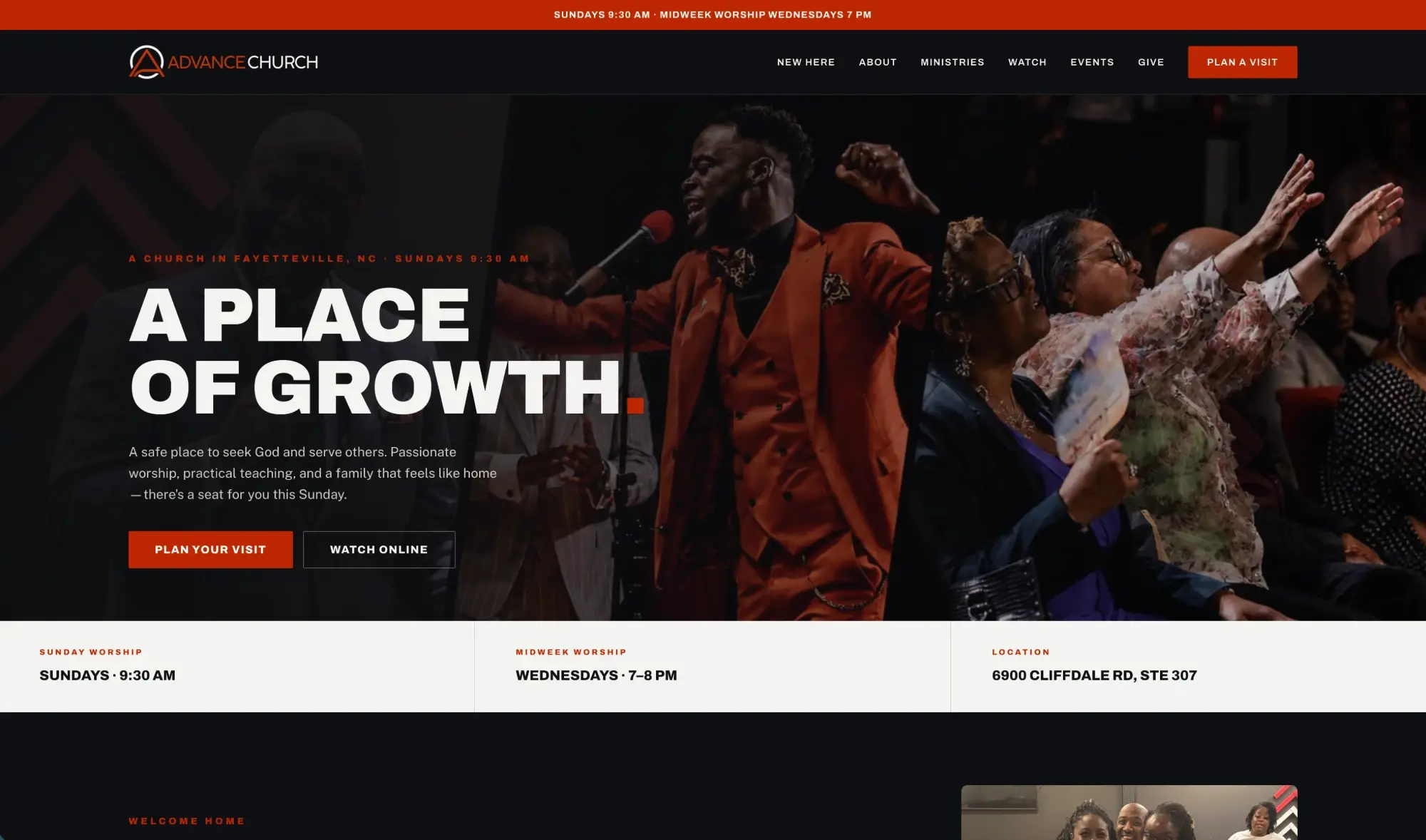
Advance Church, in the Fayetteville, NC area, runs on Studio. Sermons import from YouTube with full transcripts, events stay current, articles go up between services, online giving runs on the same site, and media lives on durable cloud storage instead of disappearing links.
Visit Advance ChurchWhat every Studio site includes
The platform is the same under every design. This is what comes with it.
- A central Admin interface with your name and logo on it, at your own domain under /studio
- Describe a change in your words and get a draft to review
- Nothing goes live until the right person approves it
- Every edit retains version history. Preview before it publishes
- Search/Meta titles and descriptions auto-filled in for every page
- Media library with required alt text, stored on durable cloud storage
- Forms with spam protection and a shared inbox with statuses
- Traffic and search analytics from your own accounts, always accessible
- SEO suggestions that turn into content drafts
- Scheduled publishing in your timezone
- Hosting, security, backups, and platform updates handled for you
- Your site, your content, your code. Month to month
Need the site built or rebuilt first? That page covers design and development, and every site we build launches on Studio.
See church website designFrequently Asked Questions
Both, honestly. If you need pages, sermons, events, and forms built and managed day to day, Studio is a full church CMS, one that staff and volunteers can actually keep up with. If you need the site itself designed and built first, that's a separate step, and every site NewCulture builds launches on Studio so the two are never disconnected.
Yes. Hosting, security, backups, and platform updates are included in the $195/mo plan. You're not paying a CMS fee and a separate hosting bill to two different vendors.
Yes, through the Planning Center events importer. Titles, dates, location, registration link, and image come across, and running the import again updates anything that changed instead of creating duplicates. Ask us to confirm it's enabled on your site before you plan around it.
You set the roles. A volunteer or admin can be a contributor who drafts and submits changes, while the pastor or a designated admin approves before anything publishes. Nothing goes live without the right person saying so, and every edit keeps its history.
Yes. Studio church sites can add online giving built on Stripe, with designated funds and one-time or recurring gifts, and every gift recorded in your admin. It's set up for each church, so bring it up on a call and we'll walk through what your church needs.
Studio is $195/mo month to month, or $2,145 prepaid for the year. That includes the CMS, hosting, security, backups, and platform updates. Website design and development, if you need the site built first, is scoped separately.
You don't need a volunteer to keep your website up to date
If you've been comparing the best church website builder options, the real question isn't features. It's whether the site stays current in a week you don't control. Studio makes the update a pasted link or a sentence, and the approval a tap on a phone. Let's look at your church's week and see where it fits.
Talk to us about Studio