
Why Your AI Email Sequences Land in Spam (and How to Fix It)
You did everything right. You used AI to draft a five-email sequence in twenty minutes, the copy read clean, you hit send.
And it went nowhere. Low opens. A couple of "found this in spam" replies. The rest, silence.
Here's the thing most AI advice skips: the copy was probably fine. The problem was almost never the words.
AI email sequences fail for three reasons—emails landing in spam because your domain isn't authenticated, copy that reads like every other AI-written email, and sequences built one message at a time with no map of the customer journey. All three are fixable. None of them are about writing better prompts.
Let me walk you through each one, in the order that actually costs you money.
Problem 1: Deliverability—the one that silently eats everything
AI-written emails are not automatically spam. But if your sending domain isn't authenticated, a sudden volume spike from a new sequence gets you flagged fast—and it doesn't matter how good the copy is if nobody sees it.
Before you send a single automated email, check three things on your domain: SPF, DKIM, and DMARC. They're DNS settings that tell receiving mail servers your email is legitimate and not someone forging your address. If any of the three is missing or misconfigured, your beautiful sequence goes straight to the promotions tab or the spam folder.
Think about what that means in practice. You can do everything else on this list perfectly and still get zero results, purely because a setting you've never heard of is switched off.
The fix takes about thirty minutes. Your domain host and your email platform both have documentation for setting up SPF, DKIM, and DMARC—it's a solved problem, and it's entirely preventable. Do this first. Everything else is downstream of it.
Problem 2: Voice drift—the one that reads like nobody
ChatGPT does not know how you talk. Paste in a generic prompt, send the output, and your sequence reads like every other AI email in your customer's inbox: polite, slightly formal, pleasantly meaningless.
The reader can feel it. They can't name it, but they can feel it—and "feels like a robot" is not the feeling you want attached to your business.
The fix is a 150-word voice brief you write once and reuse forever. Three adjectives that describe your tone. One sentence you'd actually write. One sentence you'd never write. Paste that into the prompt every single time before you ask for a word of copy.
The output changes immediately. You're no longer asking AI to invent a voice. You're handing it yours.
Problem 3: Sequence logic—the one that repeats itself
AI writes an individual email well. It does not inherently understand your customer's journey. Prompt it one email at a time, with no map, and the sequence tends to repeat itself, shift tone halfway through, or make the ask before it's earned the right to.
The fix is to map the arc yourself, first—by hand, before AI touches it. For each email: the subject line, the one-line goal, and the single call to action. Five rows on a page.
Then use AI to write to the brief, not to invent the brief. You own the structure. It fills in the prose. That's the division of labor that actually works—and it's the same principle behind every AI workflow that holds up over time.
Why "Just Use AI for Email" Is Almost Useless Advice
You've heard it a hundred times. "Use AI to write your emails." And it's not wrong, exactly—it's just missing the three things that determine whether it works at all.
That's the pattern with most AI advice: the tool is the easy part. The setup around it is where the results live or die. It's the same reason people collect AI subscriptions and still don't save any time—we dug into that in 5 AI mistakes costing small business owners time.
The One Step
Don't rewrite your emails today. Go check your domain first.
Look up whether SPF, DKIM, and DMARC are set on your sending domain. If they're not, that's your afternoon—and it's the single highest-return thirty minutes in this whole post, because it's the one holding everything else hostage.
Then write your voice brief, map your sequence, and let AI do the drafting inside those rails. If you'd rather have someone build automation that runs reliably—connected to the tools you already use, without landing in spam—that's what our AI automation and integration work is for. And if you want the bigger picture first, start with the AI for small business guide.
Tagged

About the Author
Jon Horton is the founder of NewCulture. With 20+ years in technology and digital strategy, he helps businesses, nonprofits, and churches build their online presence and reach more people.
Keep Reading
More from the Blog
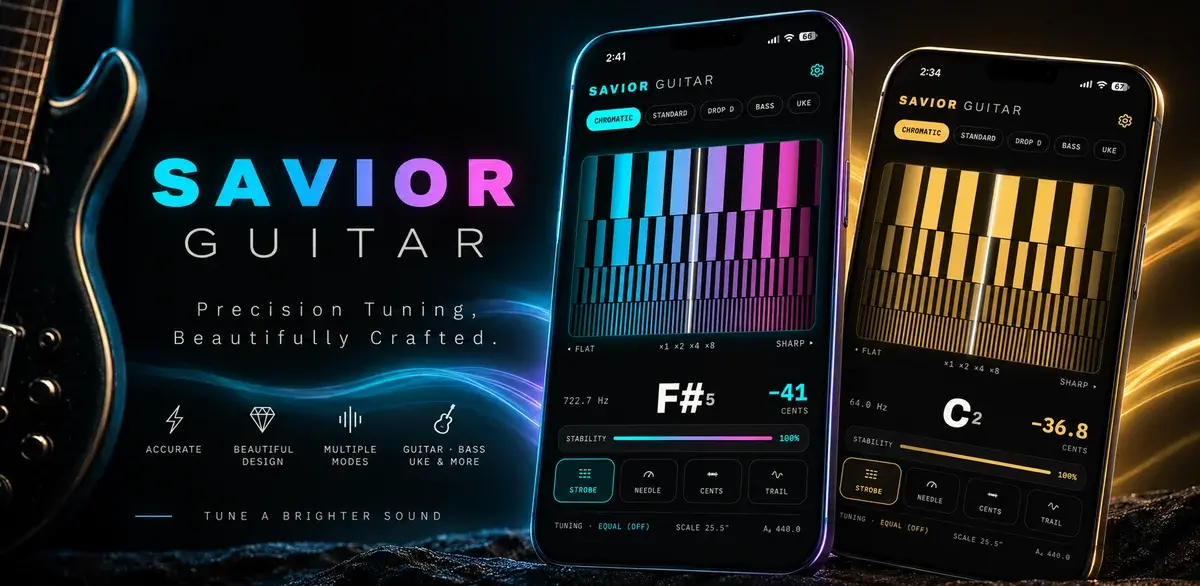
How a Free Web Tuner Earned Savior Guitar 1,400 Clicks, AI Citations, and the Case for a Pro App
A touring guitar tech in Goldsboro, NC had expert tuning methods and no way to share them beyond the bench. We built a free web tuner, used SEO to connect it with people searching for specific tunings, watched clicks climb from a handful a day to dozens, and then turned the proven demand into a pro tuner app for iPhone and Android.

Best Church Website Design Companies in 2026: 12 Firms Compared on Price, Timeline, and Who Owns the Site
The best church website design companies aren't the ones with the flashiest portfolio. They're the ones that tell you the price, the timeline, and whether you'll own the site before you sign anything. Here's an honest, fact-checked comparison of twelve firms, ours included.

The Real Church Website Cost Over Five Years (Builder, Platform, Custom, and the Volunteer Nobody Counts)
What does a church website cost over five years, once you count the subscription, the setup, the hours somebody spends updating it, and the redesign you'll do at least once? Here's the honest model, built on real published prices, not just the monthly number your finance committee sees.