
AI Operating System for Small Business: What It Is (and Why You Don't Need a $5K Consultant to Build One)

A few weeks ago I talked with a business owner who had signed up for nine different AI tools.
Nine.
She could name maybe four of them. She was paying for at least six. And when I asked what AI actually did for her business in an average week, there was a long pause.
"Honestly? I ask ChatGPT to write emails sometimes."
That's not a tool problem. She had plenty of tools. What she didn't have was a system—a set way that AI fits into how her business actually runs, week after week, whether she's feeling inspired or not.
That's what an AI operating system is. And it's the difference between owners who save hours every week and owners who pay for subscriptions they forgot about.
What Is an AI Operating System for a Small Business?
An AI operating system is a small set of repeatable workflows, prompts, and habits that run the recurring work of your business—written down, used the same way every time, by you or anyone on your team.
Notice what it isn't: it isn't software you buy.
Some platforms are now selling products called "AI operating systems," and if you go searching for the term you'll mostly find companies defining it as infrastructure—data layers, agent platforms, things with API documentation. That's a real category. It's also aimed at companies with IT departments.
For a small business, the operating system isn't the technology. It's the order you bring to the technology. The same three or four tools you already have—ChatGPT or Claude, your email, maybe Zapier connecting things—arranged into workflows you don't have to reinvent every Tuesday.
Think about what that means in practice. Instead of "I sometimes ask AI to help with marketing," you have a documented workflow: every Monday, this prompt turns last week's customer questions into this week's social posts. Same input, same steps, same place the output goes. That's a system. Stack five or six of those and you have an operating system.
How Is That Different From Just Using ChatGPT?
Using ChatGPT is an activity. An operating system is a structure the activity lives inside.
Here's the pattern I see over and over. An owner tries ChatGPT, gets a genuinely good result, and thinks "this is amazing." Then daily life takes over. Three weeks later they can't remember what they asked, the good prompt is buried in a chat history somewhere, and every session starts from zero.
The tool was never the problem. The problem is that nothing was captured.
An AI operating system captures things:
- Your prompts live in one place—a doc, a spreadsheet, saved projects—not scattered across chat histories.
- Your context is written down once. Who you serve, how you sound, what you offer. Every workflow starts from that, so you stop re-explaining your business to a chatbot forty times a month.
- Your workflows have triggers. Monday morning, invoice received, new inquiry lands. The AI step is attached to a moment in your week, not to a mood.
We walked through six of these patterns in AI Workflows for Small Businesses, and the tasks worth handing off first in AI Automation for Small Businesses. An operating system is what you get when those workflows stop being separate tricks and start being how the business runs.
Why Most Small Businesses Get Stuck With AI
Most owners get stuck for one of three reasons, and none of them are about intelligence or age or being "a tech person."
They collect tools instead of building habits. Every new tool feels like progress. But nine tools with no system loses to two tools with one. (This is the first mistake in 5 AI Mistakes Costing Small Business Owners Time, and it's the most expensive one.)
They start with the hardest thing. Owners hear "AI agents" and try to automate their whole sales process in a weekend, fail, and conclude AI isn't ready. Meanwhile the boring wins—drafting replies, summarizing meetings, turning one piece of content into five—sit untouched.
Nothing is written down. The good prompt, the workflow that worked, the way you like your emails to sound. If it lives only in your head, it isn't a system. It's a memory. Memories don't scale, and they don't transfer to the person you hire next spring.
Every one of these is preventable. That's the encouraging part. You don't need better tools or a technical background. You need order.
How Much Does AI Consulting Cost for a Small Business?
Market rates in 2026 generally run $2,000–$8,000 for an AI readiness assessment, $8,000–$25,000 for a strategy roadmap, $15,000–$50,000 for a pilot implementation, and $2,000–$8,000 per month for a fractional "AI officer" on retainer.
Those aren't made-up scare numbers—they're the ranges published across the consulting industry's own pricing guides. And for the businesses those firms serve, often $1M–$100M companies with dozens of employees and legacy systems to untangle, the price can be worth it.
But here's the deal: most of those engagements are built for a business that looks nothing like yours.
If you're a solo owner or a small team, you don't have legacy systems to untangle. You don't need a data audit. You need someone to help you pick three workflows, write them down, and actually use them for ninety days. Paying $25,000 for a strategy roadmap you could hold in a two-page doc isn't strategy. It's overhead.
Do You Need an AI Consultant, or Can You Build This Yourself?
Most small businesses can build their own AI operating system—and should at least start there.
There are honest exceptions. If AI needs to connect to systems with customer data, if you're in a regulated industry, or if you have a team of ten-plus and the real challenge is change management, an experienced guide earns their fee. We wrote about what that actually looks like in AI Consulting for Small Businesses: 7 Things a Good Consultant Actually Does—and one of those seven things is telling you when you don't need them yet.
For everyone else, the honest answer is that the first version of your AI operating system requires no code, no engineer, and no retainer. It requires a few focused hours and a guide that shows you the order to do things in.
That's exactly why we built one.
How to Set Up an AI Operating System Without a Tech Background
Start with one tool, one document, and three workflows. Here's the order:
- Write your context document first. One page: what your business does, who you serve, how you want to sound, what you offer and at what price. This single page is what turns generic AI output into output that sounds like your business. Twenty minutes, biggest return of any step on this list.
- Pick one primary tool. ChatGPT, Claude, or Copilot if your life is already in Microsoft—the differences matter far less than the consistency. (Our rundown of the AI tools worth an owner's attention can help you choose, but don't agonize. Pick one.)
- Choose three recurring tasks—not your three hardest, your three most repetitive. Weekly emails. Meeting summaries. Turning one blog post into social content. Repetition is where systems pay off.
- Write the workflow down as you go. The prompt, the steps, where the output lives. If a workflow isn't written down, it doesn't exist yet.
- Run it for thirty days before adding anything new. The habit is the system. Most owners have a working operating system inside a month and real momentum by ninety days—not because the technology is slow, but because habits are.
Notice there's no automation platform in the first thirty days, no agents, nothing to configure. Connecting tools with Zapier, adding AI to your CRM—that's month three's problem, and by then you'll actually know which connections are worth making.
Start With One Step
I believe the small businesses that thrive over the next few years won't be the ones with the most AI tools. They'll be the ones with the most order—owners who turned scattered experiments into a calm, boring, reliable system and then got back to the work only they can do.
You can be one of them. Without a tech background, without a $25,000 roadmap, without adding a single new subscription this month.
If you want the full step-by-step—the context document template, the workflow library, the 90-day plan laid out week by week—that's what our AI Operating System guide walks you through. It's everything we'd set up in a consulting engagement, in an order you can follow yourself.
And if you'd rather build it with someone alongside you, that's work we do too.
One step this week: write your context document. One page, twenty minutes.
The system starts there.

About the Author
Jon Horton is the founder of NewCulture. With 20+ years in technology and digital strategy, he helps businesses, nonprofits, and churches build their online presence and reach more people.
Keep Reading
More from the Blog
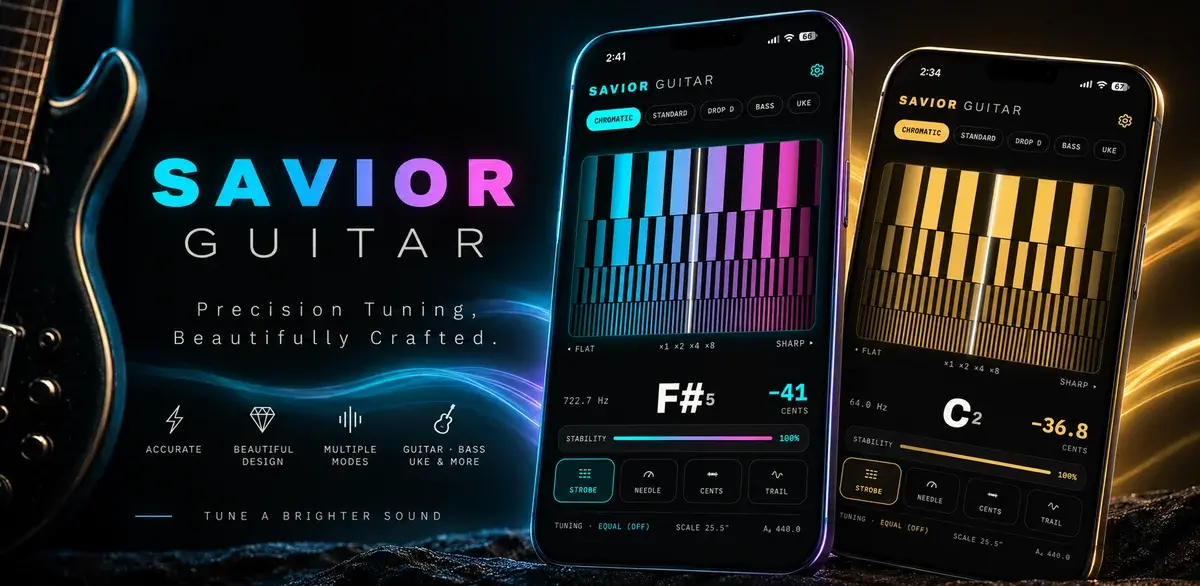
How a Free Web Tuner Earned Savior Guitar 1,400 Clicks, AI Citations, and the Case for a Pro App
A touring guitar tech in Goldsboro, NC had expert tuning methods and no way to share them beyond the bench. We built a free web tuner, used SEO to connect it with people searching for specific tunings, watched clicks climb from a handful a day to dozens, and then turned the proven demand into a pro tuner app for iPhone and Android.

Best Church Website Design Companies in 2026: 12 Firms Compared on Price, Timeline, and Who Owns the Site
The best church website design companies aren't the ones with the flashiest portfolio. They're the ones that tell you the price, the timeline, and whether you'll own the site before you sign anything. Here's an honest, fact-checked comparison of twelve firms, ours included.

The Real Church Website Cost Over Five Years (Builder, Platform, Custom, and the Volunteer Nobody Counts)
What does a church website cost over five years, once you count the subscription, the setup, the hours somebody spends updating it, and the redesign you'll do at least once? Here's the honest model, built on real published prices, not just the monthly number your finance committee sees.